 Complete Guide: Cellular Quota vs. Personal Device Data
 Searching for "My Data Manager" on iPhone? Here is the complete breakdown.
People searching for 'my data manager iphone' are usually looking for one of two things: tracking mobile cellular internet quotas (MB/GB) on iOS, or managing their personal iPhone data (backups, WhatsApp, photos, files, and network activity) on a computer. This guide covers both.
- 100% local
- Notarized by Apple
- No account needed
- Free to try
Tracking Cellular & Roaming Data Usage on Your iPhone
If you want to stop going over your monthly mobile carrier plan or see which apps drain your 5G/LTE quota in the background, you don't even need a third-party app with VPN tracking:
- • Native iOS Cellular Tracker: Go to Settings › Cellular (Mobile Data) on your iPhone to see per-app gigabyte usage and System Services breakdown.
- • Enable 'Low Data Mode': Tap Settings › Cellular › Cellular Data Options › Data Mode › Low Data Mode to pause background app refresh and automatic iCloud photo syncing over 5G/LTE.
- • Disable 'Wi-Fi Assist': Scroll to the very bottom of Settings › Cellular and turn off Wi-Fi Assist so your iPhone doesn't silently switch to mobile data when Wi-Fi is weak.
- • Reset Statistics Monthly: Scroll to the bottom of Settings › Cellular on your billing day and tap 'Reset Statistics' (or automate a reminder via iOS Shortcuts).
Managing Your Personal iPhone Data & Network Traffic on Mac
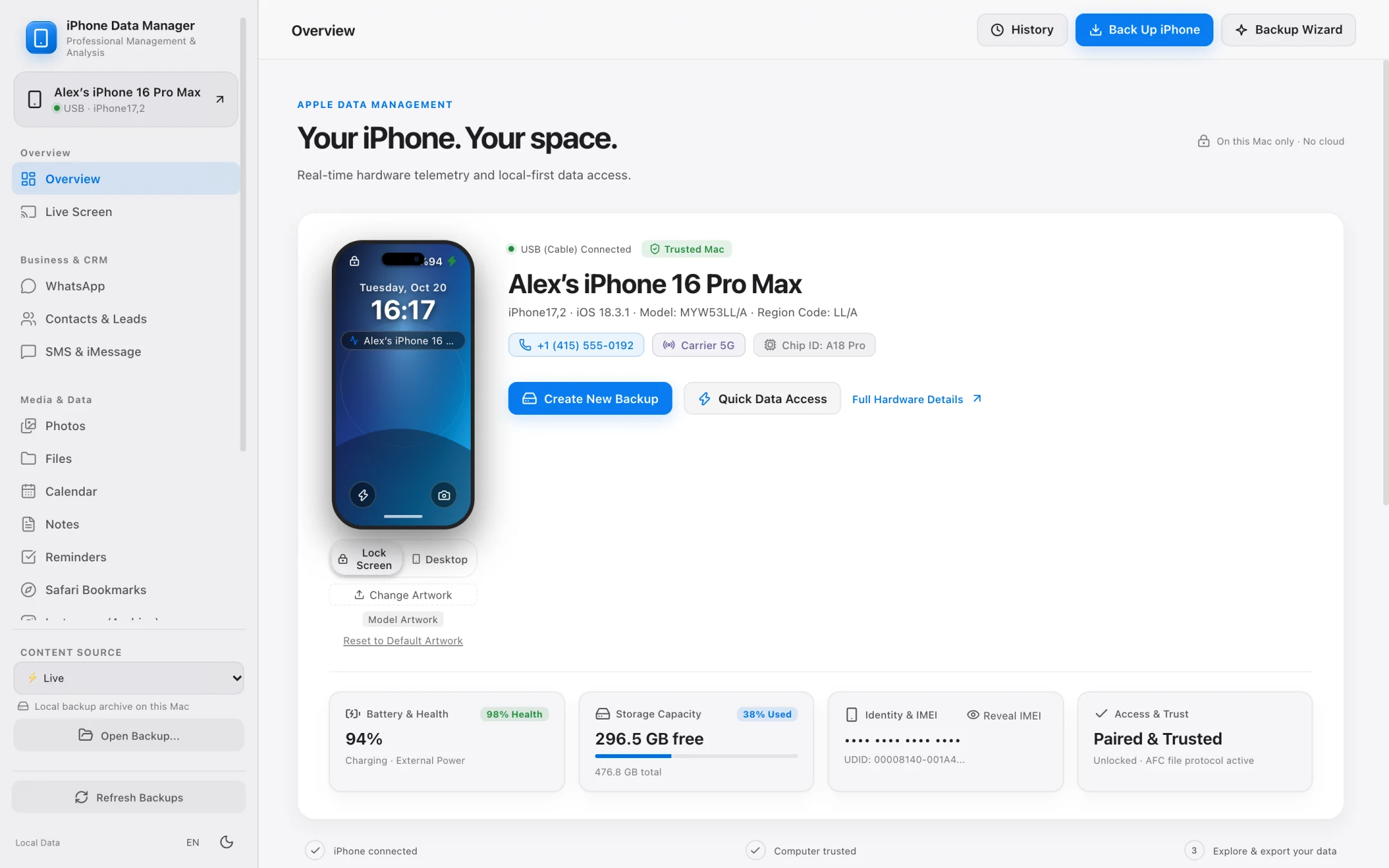
If by 'my data manager' you mean owning and controlling the personal data stored inside your iPhone — or inspecting real-time network packets without routing your traffic through a third-party cloud VPN — that is exactly what iPhone Data Manager for Mac is built for:
- ✓ Consented Live Network Capture (Pro Diagnostics): Inspect real-time iOS network sessions, crash reports, and live system logs directly on your Mac.
- ✓ 100% Local Backups (Full or Lean Mode): Back up your iPhone to your Mac or an external SSD without iCloud storage limits.
- ✓ WhatsApp, SMS, Photos & Files Browser: Read and export your chats (CSV / SHA-256 PDF), contacts (vCard 3.0), and original camera roll media.
- ✓ Zero Cloud Relay: Unlike mobile data-tracking apps that route traffic through remote servers, everything in iPhone Data Manager stays on your Mac.
Pro Diagnostics · Network & System Visibility
See what your iPhone is actually doing under the hood.
Built for developers, security researchers, repair technicians, and privacy-conscious users who want real technical visibility from their Mac.
- Run live network capture sessions on your connected iPhone with explicit user consent.
- Stream the real-time iOS system log directly on your Mac screen.
- Browse and export device crash reports to diagnose problematic apps.
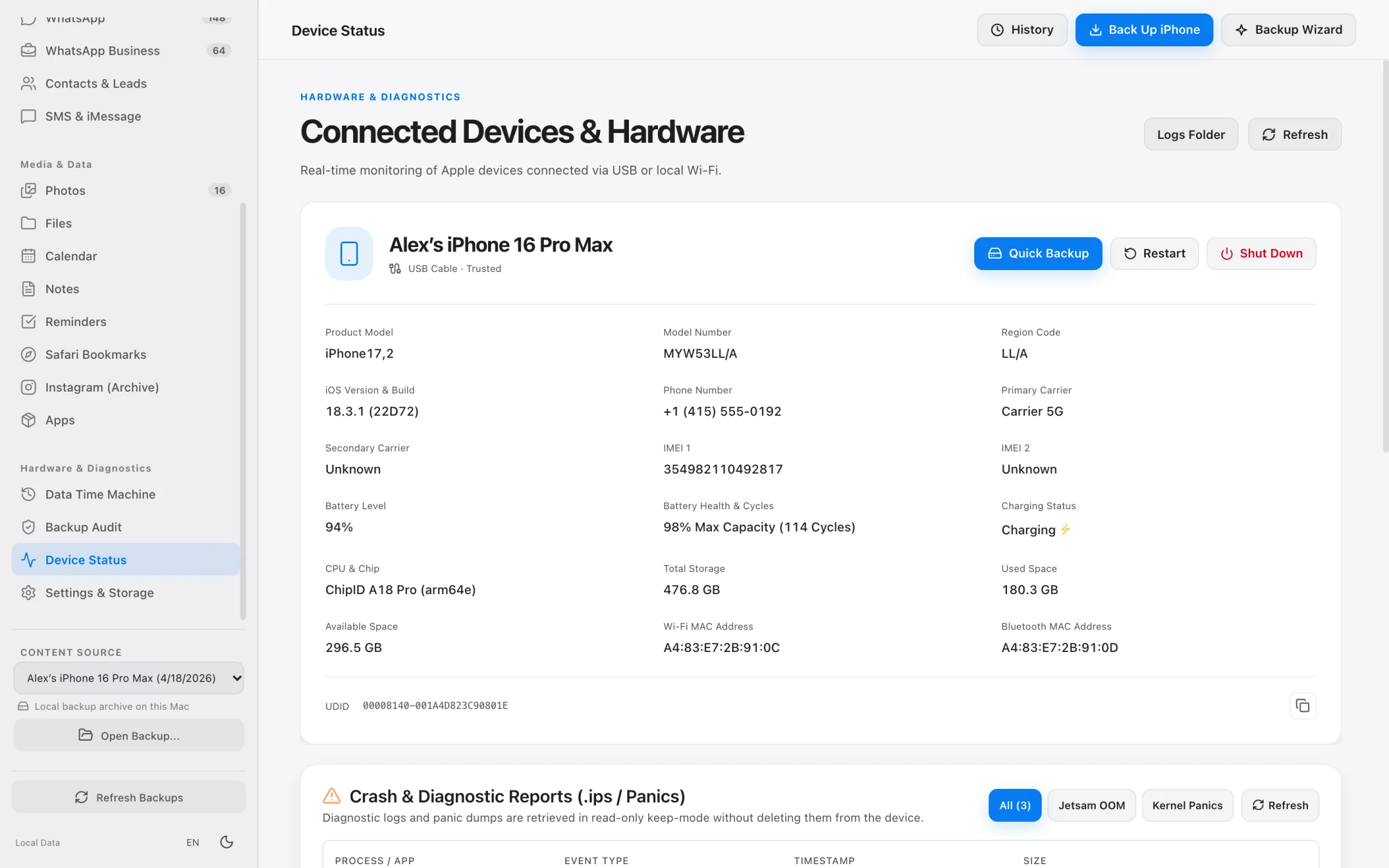
- Inspect hardware details, real battery cycle counts, and installed app inventories.
Stop Cellular Drain by Backing Up Locally
Why local Mac backups save gigabytes of mobile data.
One of the biggest hidden causes of mobile data overages is iCloud Drive, iCloud Photos, and WhatsApp cloud backup syncing gigabytes of video over cellular connections.
- Turn off cellular cloud backups and run fast local USB/Wi-Fi backups to your Mac instead.
- Offload multi-gigabyte 4K videos directly to an external SSD over USB.
- Archive WhatsApp chat histories and media locally without uploading gigabytes to cloud drives.
- Compare backup snapshots over time with Data Time Machine.
Step-by-Step Workflow
How to Audit Both Cellular Data Usage and Local Device Data on iPhone
Check your mobile data quota in iOS Settings and inspect live network traffic and personal databases locally on your Mac.
Check per-app cellular usage in iOS Settings
On your iPhone, open Settings › Cellular (or Mobile Data) and scroll down to see exact MB/GB consumed by each app during the current billing period.
Connect your iPhone to your Mac for deep Network Capture & Diagnostics
Open iPhone Data Manager on your Mac, go to the Diagnostics module, and run a consented Network Capture or stream the live iOS system log to inspect real-time connections.
Back up and manage your personal iPhone data locally
Create a local backup on your Mac or external SSD and browse your WhatsApp chats, messages, photos, contacts, and files offline.
Two Types of 'Data Management' Compared
iOS Cellular Quota Trackers vs. iPhone Data Manager for Mac
Understanding which tool solves which problem on your iPhone.
| Goal | iOS Built-in Cellular Settings | Mobile Quota Apps (e.g. My Data Manager iOS) | iPhone Data Manager (macOS App) |
|---|---|---|---|
| Track Monthly 5G/LTE Carrier Quota | Yes (manual reset per cycle) | Yes (automated billing cycle alarms) | No — desktop app for local device data & diagnostics |
| Inspect Live Network Packets & System Logs | No | No packet/log inspection | Yes — Pro Diagnostics Network Capture & Live System Log |
| Back Up iPhone to Mac / External SSD | iCloud only | No | Yes — Full or Lean Mode local backups |
| Export WhatsApp, SMS, Photos & Contacts | No | No | Yes — CSV, SHA-256 PDF, vCard 3.0 & original media |
| Privacy Architecture | On-device iOS counters | Often uses VPN profiles / analytics | 100% local on Mac, read-only, zero personal telemetry |
Frequently asked questions.
Is iPhone Data Manager affiliated with the 'My Data Manager' mobile carrier tracker app?
No. 'My Data Manager' is an iOS mobile utility for tracking cellular internet data plans. iPhone Data Manager (iphonedatamanager.com) is an independent native macOS application for backing up, browsing, and exporting your iPhone's personal data (WhatsApp, photos, messages, contacts, files) and running hardware/network diagnostics on your Mac.
How can I see what network connections my iPhone is making?
With iPhone Data Manager's Pro Diagnostics module on your Mac, you can run a consented Network Capture session and stream the live iOS system log while your iPhone is connected.
Why is my iPhone using so much cellular data for backups and photos?
When 'Back Up Over Cellular' or cellular photo syncing is enabled in iOS Settings, your iPhone uploads heavy photos, videos, and WhatsApp archives over 5G/LTE. Switching to local USB or Wi-Fi backups with iPhone Data Manager on your Mac eliminates cloud backup data drain completely.
Does iPhone Data Manager upload any of my personal data to the internet?
Never. All backups, chats, photos, and diagnostic captures are processed and stored 100% locally on your Mac or external drive.
Explore Specialized Workflows
iPhone Storage Manager
Free up gigabytes on your iPhone and Mac with external SSD backups, Lean Mode, and exact byte-size photo offloading.
iPhone File Manager
Browse accessible iPhone app folders and decoded local backup file trees without opaque SHA-1 filenames.
iPhone Transfer Software
Transfer photos, 4K videos, WhatsApp chats, SMS, and contacts from iPhone to Mac in standard, open formats.
UltFone Alternative for Mac
See how a 100% native, Apple-notarized, read-only macOS app compares to cross-platform utility suites.
See what is on your iPhone today.
Free to download. Browse your data and run full backups before paying a cent.