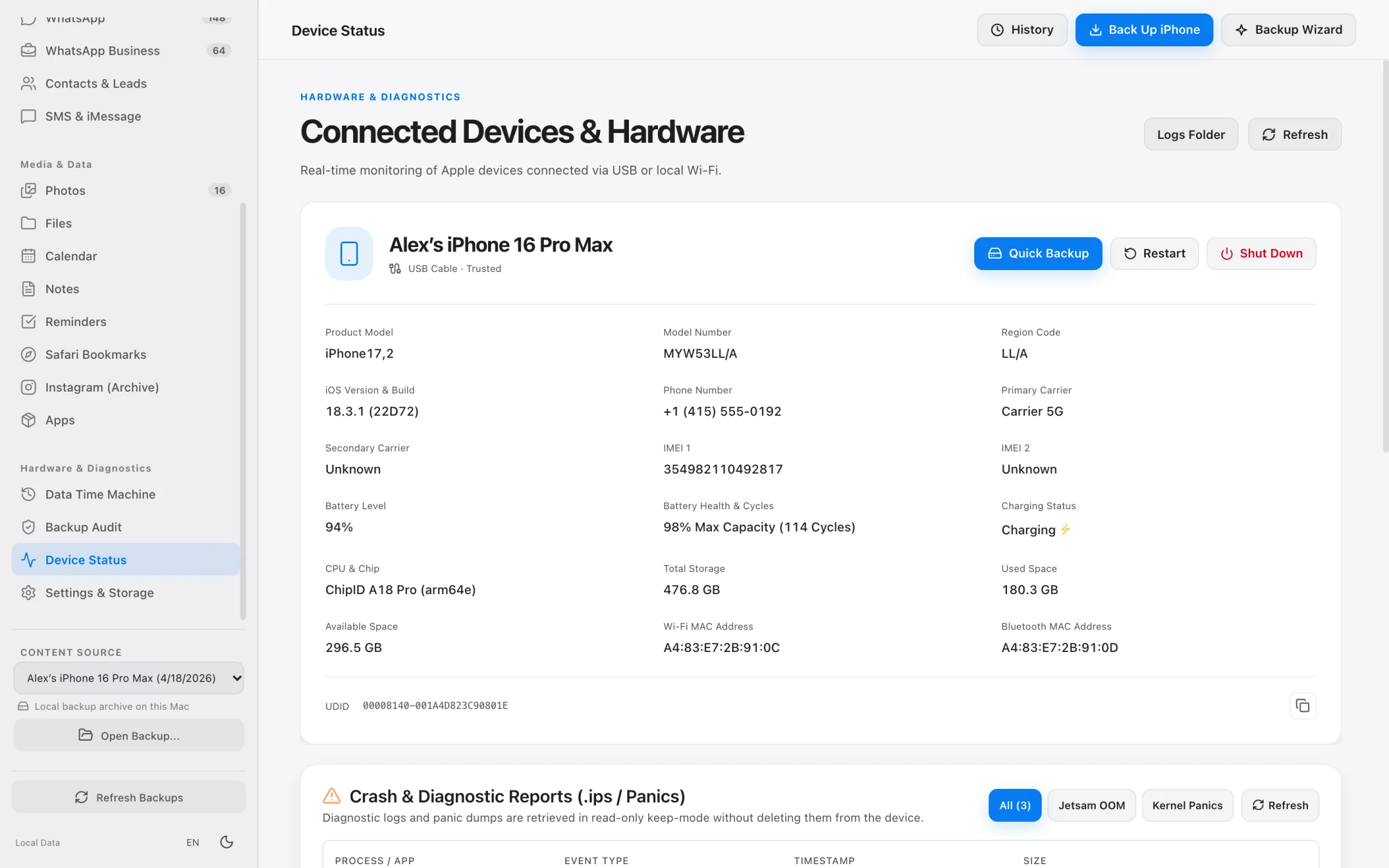
Battery Health
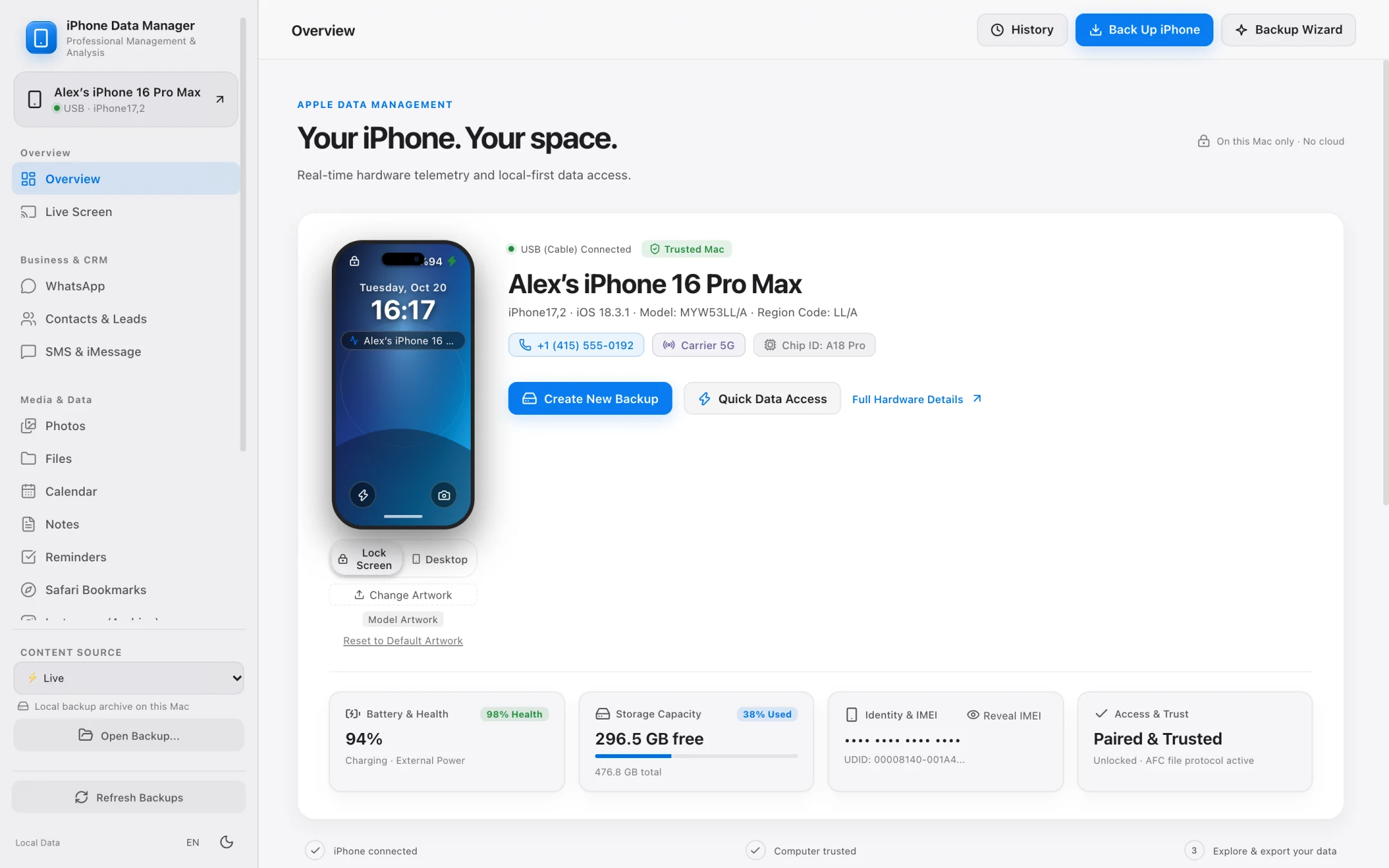
Real cycle count and capacity.
See charge cycles, design capacity versus current capacity and true battery health percentage.
98% Health
Cycle Count 114 cycles
Charge Cap. 4,580 / 4,685 mAh
Silicon Apple A18 Pro
 Native macOS iPhone Manager Apple Developer ID Signed & Notarized
 Back up, browse and export your WhatsApp chats, photos, messages, contacts and files in open formats without touching the cloud.
Select a workspace below to inspect the native macOS application:
ARCHITECTURAL PRINCIPLE
Your iPhone data should never be locked behind monthly cloud rent, opaque SHA-1 hashes, or a full internal Mac SSD. Inspect, verify, and archive every message, photo, and SQLite database directly on your hardware.
Everything on your device, organized and readable in standard formats.
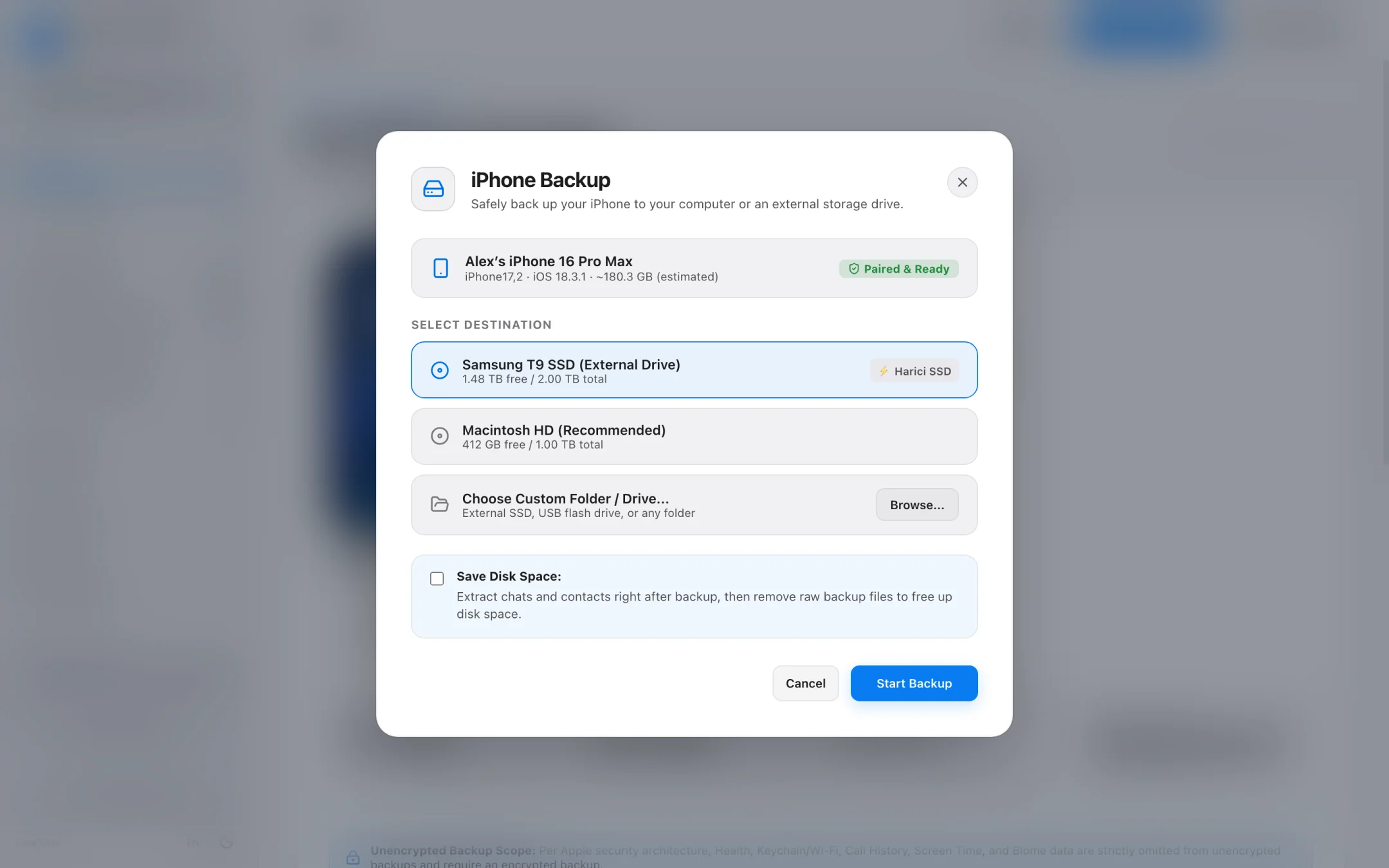
Backups
Save a full local backup to your Mac or an external drive. Real disk progress keeps you informed from start to finish.
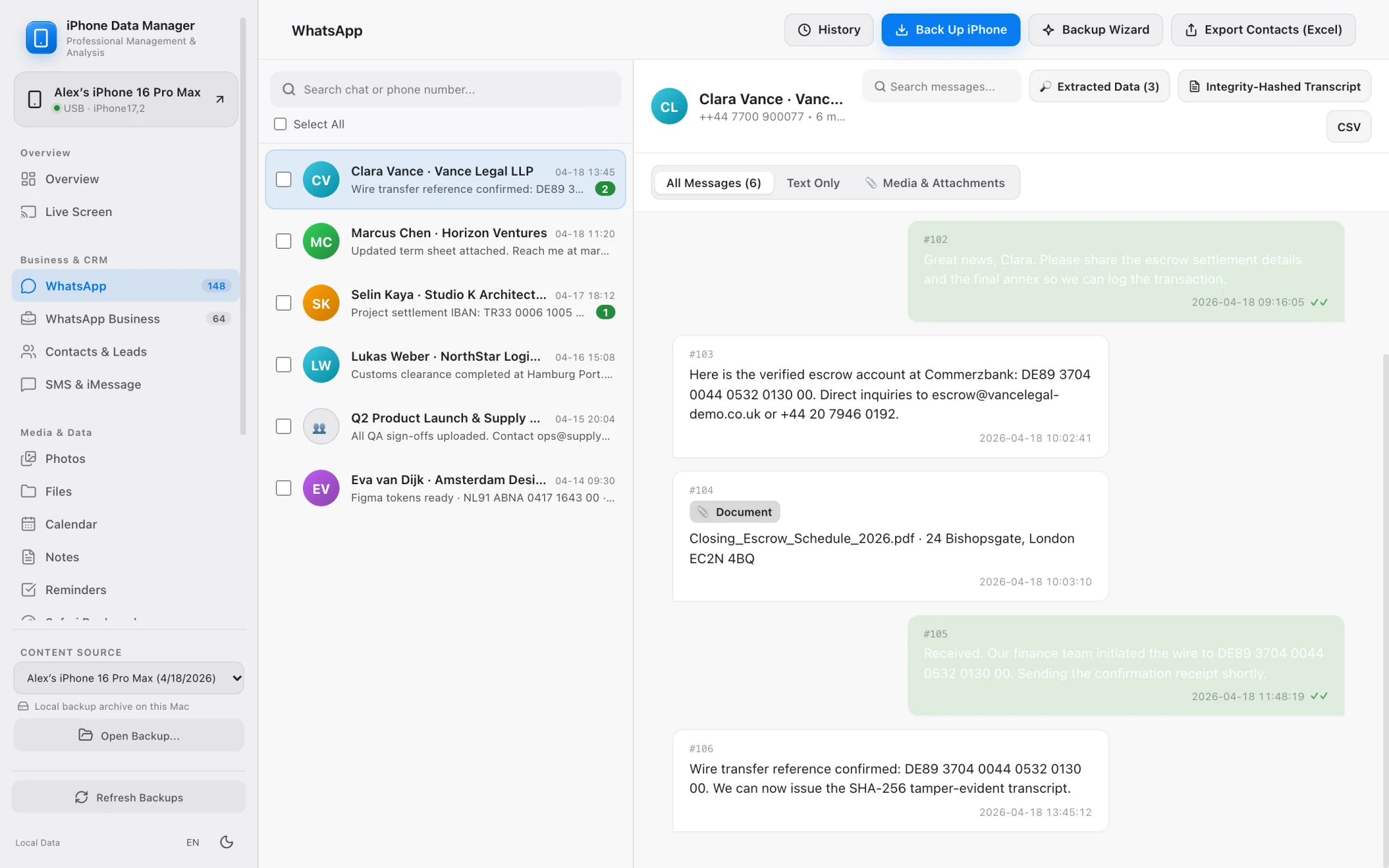
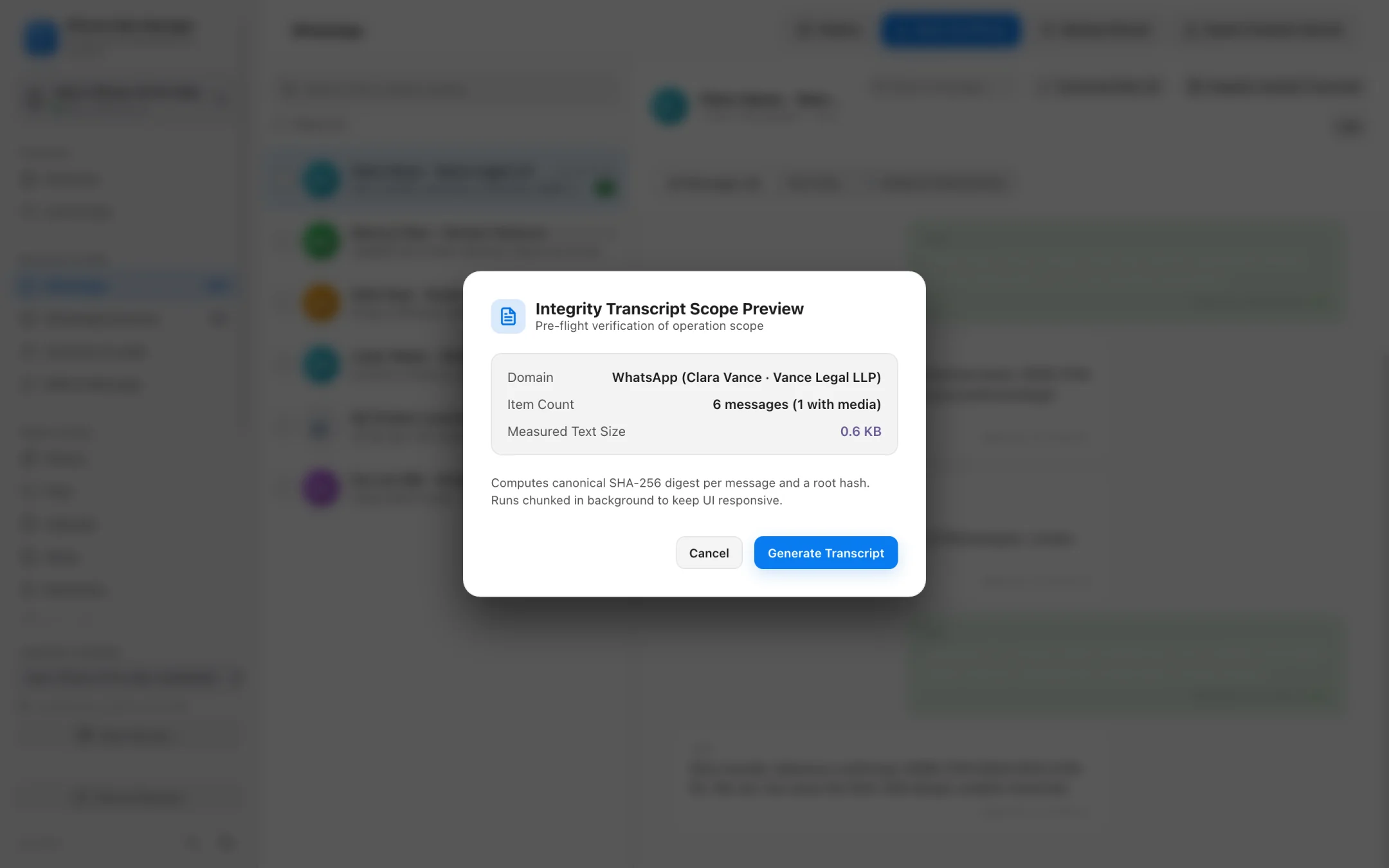
Read large chat histories smoothly from any backup. Extract business leads or print tamper-evident transcripts with SHA-256 verification.
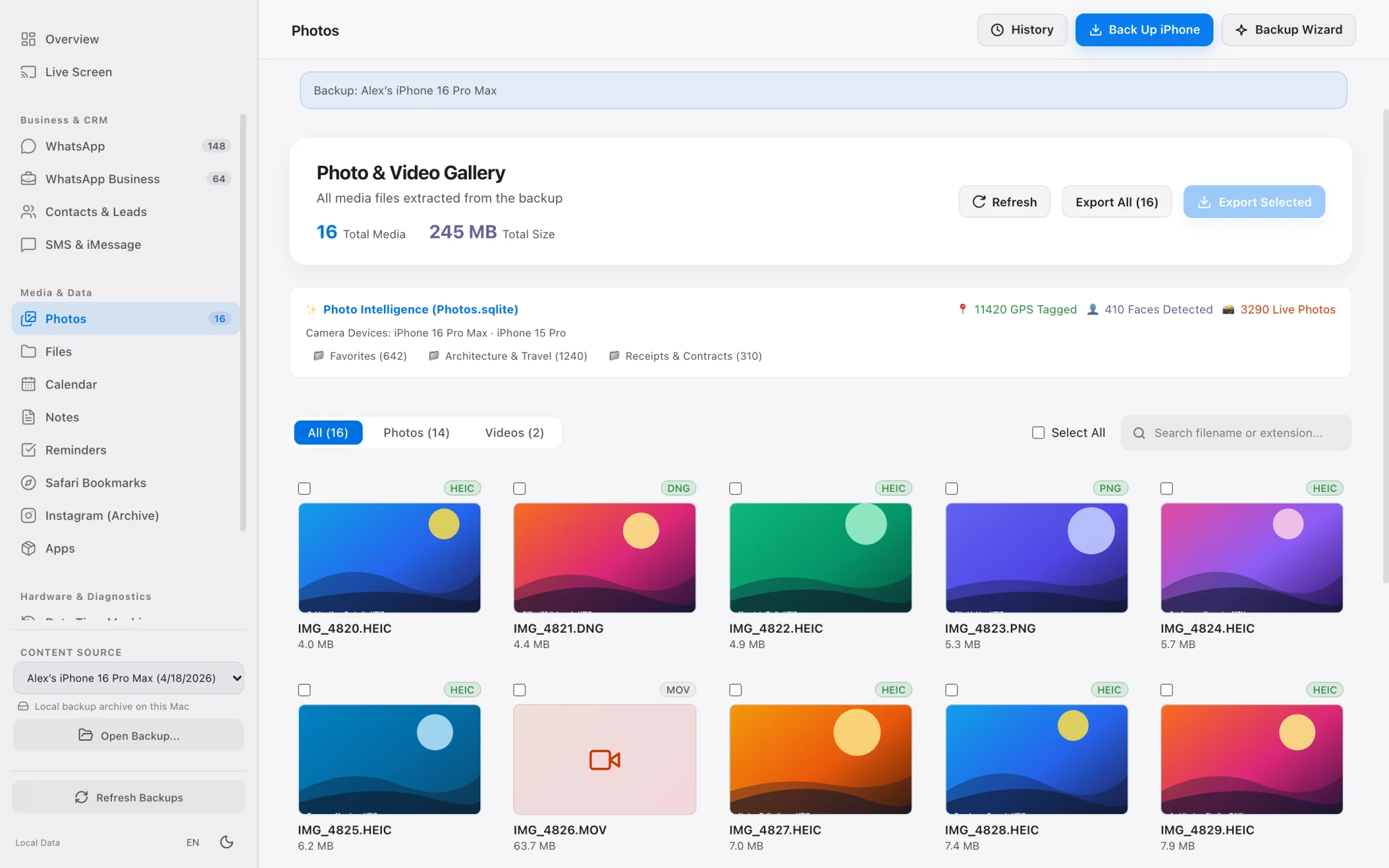
Photos & Videos
Browse photos and videos from a backup or directly from a connected iPhone. Know the exact file count and size before exporting.
Practical tools for everyday backups, business workflows and diagnostics.
Battery Health
See charge cycles, design capacity versus current capacity and true battery health percentage.
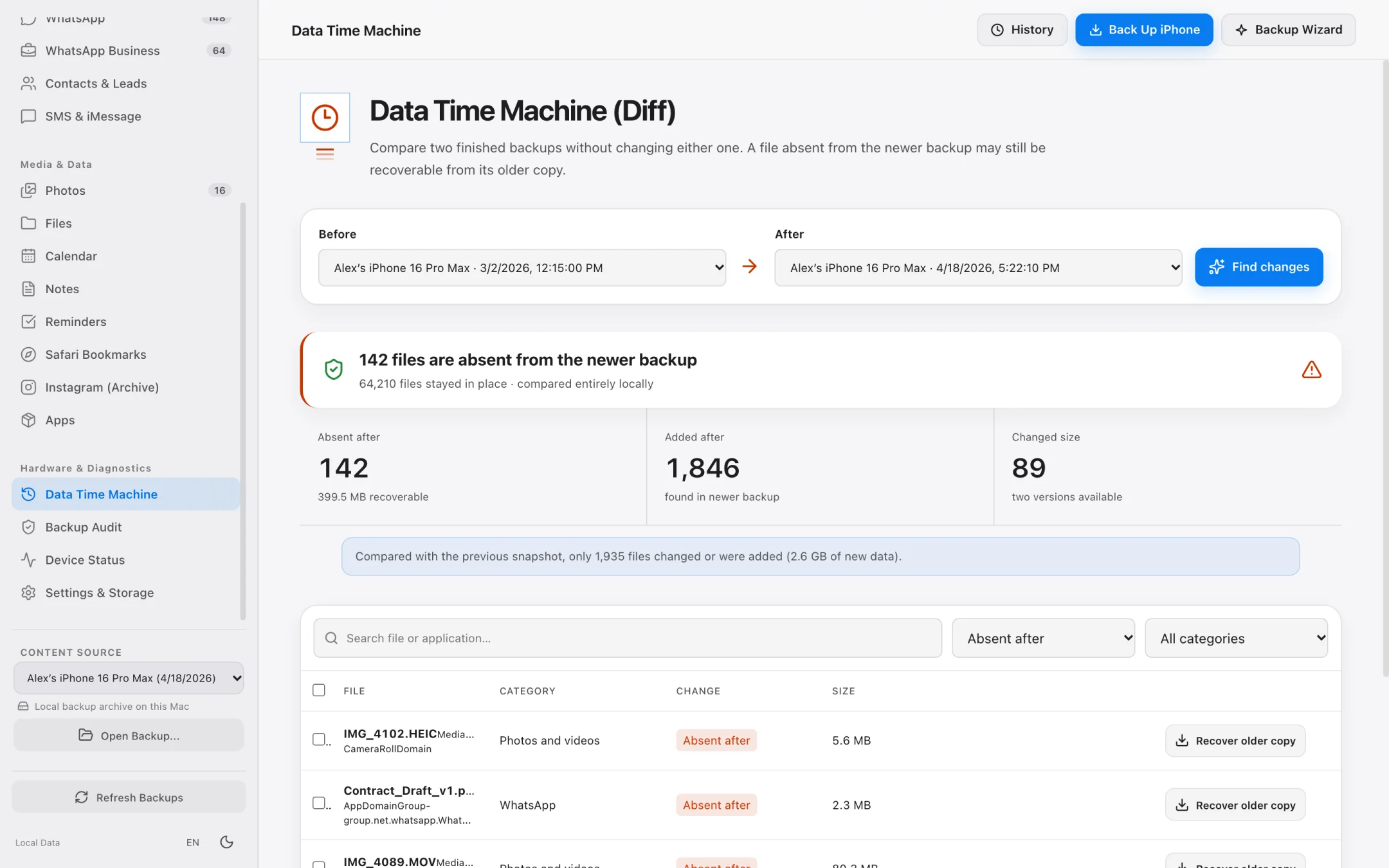
Data Time Machine
Select any two backups to see what was added, changed or deleted between dates.
Contacts
Filter contacts by phone, email or company and export standard vCard files.
Clara Vance
Vance Legal LLP · +44 7700 900077
Marcus Chen
Horizon Ventures · +1 415 555 0148
Lead Extraction
Automatically detect phone numbers, emails, physical addresses and valid IBANs across chats.
Verifiable Records
Every message is hashed with SHA-256 alongside a document root hash for printable PDF records.
Pro Diagnostics
Inspect installed apps, read crash reports, stream live system logs and run network captures with explicit consent.
[16:17:02] lockdownd Paired USB (iOS 18.3.1)
[16:17:04] diagnostics 114 cycles · 98% MaxCap
[16:17:08] crash_mover 3 .ips reports indexed
[16:17:11] pcapd 0 bytes uploaded to cloud
Privacy by design
iPhone Data Manager processes every backup, message and photo locally on your machine. There is no cloud relay and no user account.
No personal data telemetry, no cloud uploads and no account required to use the app.
The app reads your iPhone and backups without modifying or overwriting your personal data.
Diagnostic logs stored on your Mac never contain message text, contact names or personal content.
Three straightforward steps from connection to export.
Plug in via USB to pair, or connect over Wi-Fi once your Mac is trusted.
Create a new local backup on your Mac or external drive, or open an existing backup.
Inspect your data and export chats, photos, contacts and reports in open formats.
Complete iPhone Manager & iOS Data Manager for Mac
macOS Finder turns your iPhone backup into an opaque black box on your startup disk. As a native iOS data manager for Mac, iPhone Data Manager gives you direct visibility, external drive freedom, and open-format exports.
| Capability | macOS Finder | iCloud+ Sync | iPhone Data Manager |
|---|---|---|---|
| Backup Destination | Locked to internal Mac startup drive | Apple cloud servers (monthly fee) | Internal Mac SSD or any External USB-C / Thunderbolt drive |
| Browse Inside Backups | No — hidden as 40-char SHA-1 hashes | Limited web view; no WhatsApp or SMS history | Full browser for WhatsApp, SMS/iMessage, Photos, Contacts & Files |
| Space-Saving Lean Mode | No — all-or-nothing disk dump | No selective database archiving | Lean Mode backs up core databases (WhatsApp, Contacts) in a few GB |
| Compare Two Backups (Diff) | Overwrites previous backup state | No historical version diffing | Data Time Machine shows added, modified & deleted records between dates |
| WhatsApp Transcripts & Leads | Not accessible | Encrypted blob; cannot read or export on Mac | CSV export, IBAN/phone/email lead extractor & SHA-256 PDF transcripts |
| Privacy & Data Ownership | Local, but unreadable without full restore | Stored on remote cloud infrastructure | 100% local on your Mac, strictly read-only, zero personal telemetry |
Free up gigabytes on your iPhone and Mac with external SSD backups, Lean Mode, and exact byte-size photo offloading.
Browse accessible iPhone app folders and decoded local backup file trees without opaque SHA-1 filenames.
Transfer photos, 4K videos, WhatsApp chats, SMS, and contacts from iPhone to Mac in standard, open formats.
See how a 100% native, Apple-notarized, read-only macOS app compares to cross-platform utility suites.
Track cellular data quotas in iOS and inspect live network traffic & local backups on your Mac.
Compare native Apple Silicon speed, Lean Mode backups, and SHA-256 WhatsApp transcripts against iMazing.
Export huge WhatsApp chat histories to SHA-256 verifiable PDFs, CSV spreadsheets, and lead lists.
Bypass Finder internal drive lock-in and save iPhone backups directly to external USB-C or Thunderbolt SSDs.
Open raw or encrypted local iPhone backups to recover photos, WhatsApp chats, SMS, contacts, and files.
Replace heavy background helper daemons with a native Apple Silicon iPhone manager featuring Lean Mode and SHA-256 WhatsApp PDFs.
The modern Apple Silicon successor for former Ecamm PhoneView users to archive iMessage, SMS, and WhatsApp chats locally.
One unified macOS app for iPhone backups, WhatsApp exports, and file extraction without fragmented per-module upsells.
Compare local read-only safety, external SSD backups, and WhatsApp business lead extraction against Tenorshare iCareFone.
Browse all your data and create full local backups for free. Upgrade only when you need larger or bulk exports.
FAQ
Everything works locally on your Mac over direct USB or Wi-Fi pairing with zero cloud telemetry.
No. Everything is processed locally on your Mac. No personal data is ever uploaded to any server.
No. The app reads directly from your connected iPhone or local backups without requiring an Apple ID or iCloud account.
Yes, using the backup password you set on your iPhone or in Finder (paid plans).
No. Data access is strictly read-only. Restart, shut down and sleep actions only run when you explicitly click them.
Any Mac running macOS 12 Monterey or later, on Macs with Apple Silicon (M1 or later).
Finder locks backups onto your internal drive as unreadable SHA-1 hashes, and iCloud charges monthly subscriptions without letting you export WhatsApp chats or SMS history. As a dedicated iPhone manager for Mac, iPhone Data Manager lets you back up to external SSDs, use space-saving Lean Mode, compare backups with Data Time Machine, and export everything in open formats.
Free to download. Browse your data and run full backups before paying a cent.
brew tap fsakbas/tap && brew install --cask iphone-data-manager