 Native macOS AnyTrans Alternative
 A Faster, Cleaner AnyTrans Alternative Built Exclusively for Mac.
Skip persistent background launch agents and cross-platform UI clutter. iPhone Data Manager runs natively on Apple Silicon in strictly read-only mode to back up to external SSDs and export WhatsApp, SMS, photos, and files.
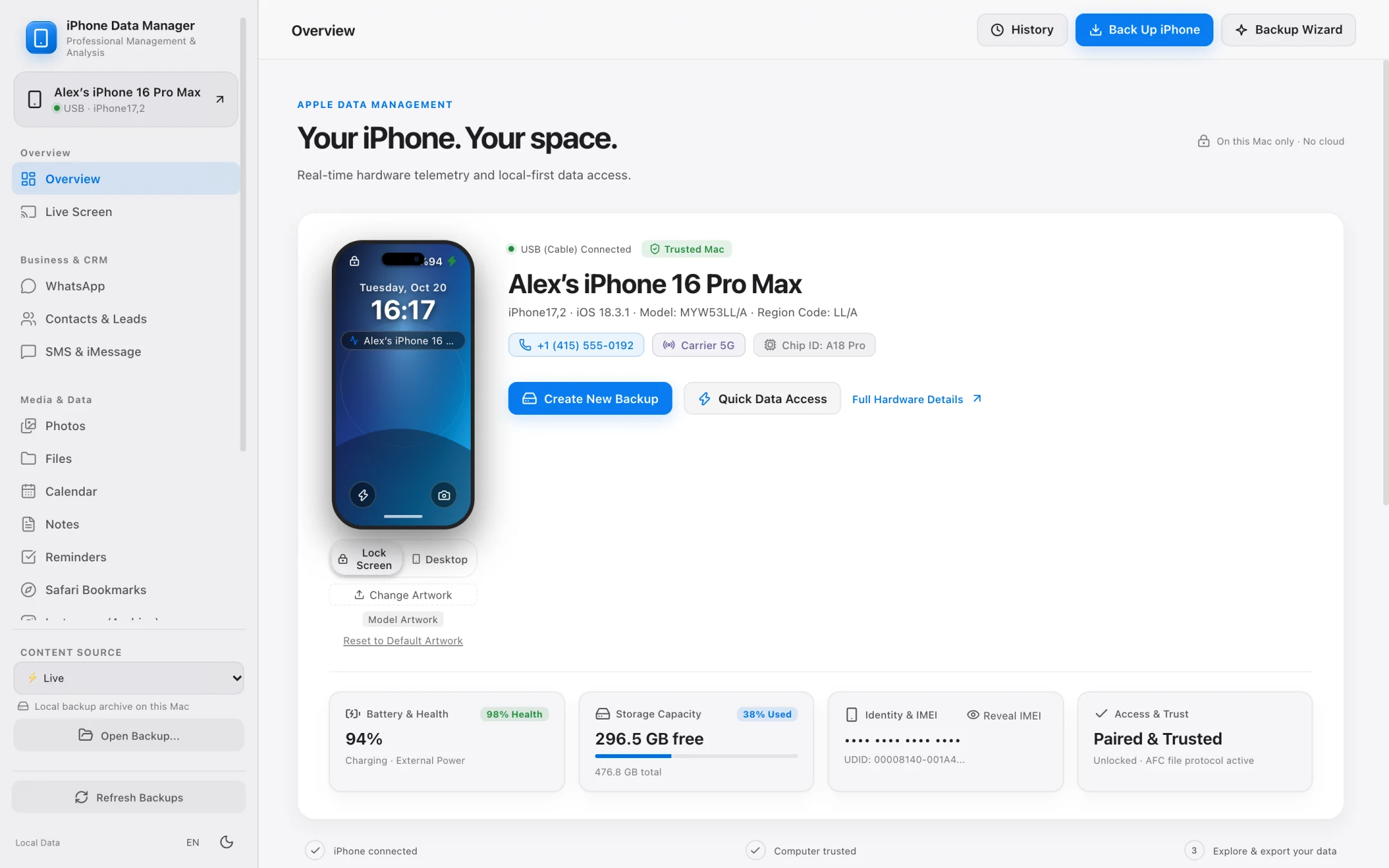
- 100% local
- Notarized by Apple
- No account needed
- Free to try
Why Mac users look for an AnyTrans alternative.
When managing gigabytes of personal photos and business messages, macOS users want native performance, predictable licensing, and zero background daemons.
Zero Background Daemons
Runs only when you open it — nothing hidden in Login Items.
Many cross-platform suites install persistent helper daemons that run even when no iPhone is connected. iPhone Data Manager is a clean, self-contained macOS app notarized by Apple.
Strictly Read-Only Safety
Never modifies or risks your live iPhone file system.
Writing directly into iOS media databases can corrupt photo libraries. iPhone Data Manager operates in strictly read-only mode to guarantee your iPhone remains 100% untouched.
Built for High-Volume Business Chats
SHA-256 WhatsApp PDF transcripts & automatic lead extraction.
Go beyond basic chat viewing: extract phone numbers, emails, and validated IBANs from WhatsApp threads to CSV, or print tamper-evident SHA-256 PDF transcripts.
External SSD & Lean Mode Backups
Save full backups to external drives or shrink them by 90% with Lean Mode.
Free your MacBook's internal SSD without Terminal commands. Route full backups directly to any USB-C/Thunderbolt SSD, or use Lean Mode to archive core SQLite databases in seconds.
- Direct 1-click folder picker for any external SSD or hard drive.
- Lean Mode backs up WhatsApp, Contacts, and SMS databases without heavy video blobs.
- Data Time Machine diffs any two backups to highlight added, changed, or deleted records.
- Full local backups and 8-module browsing are 100% free.
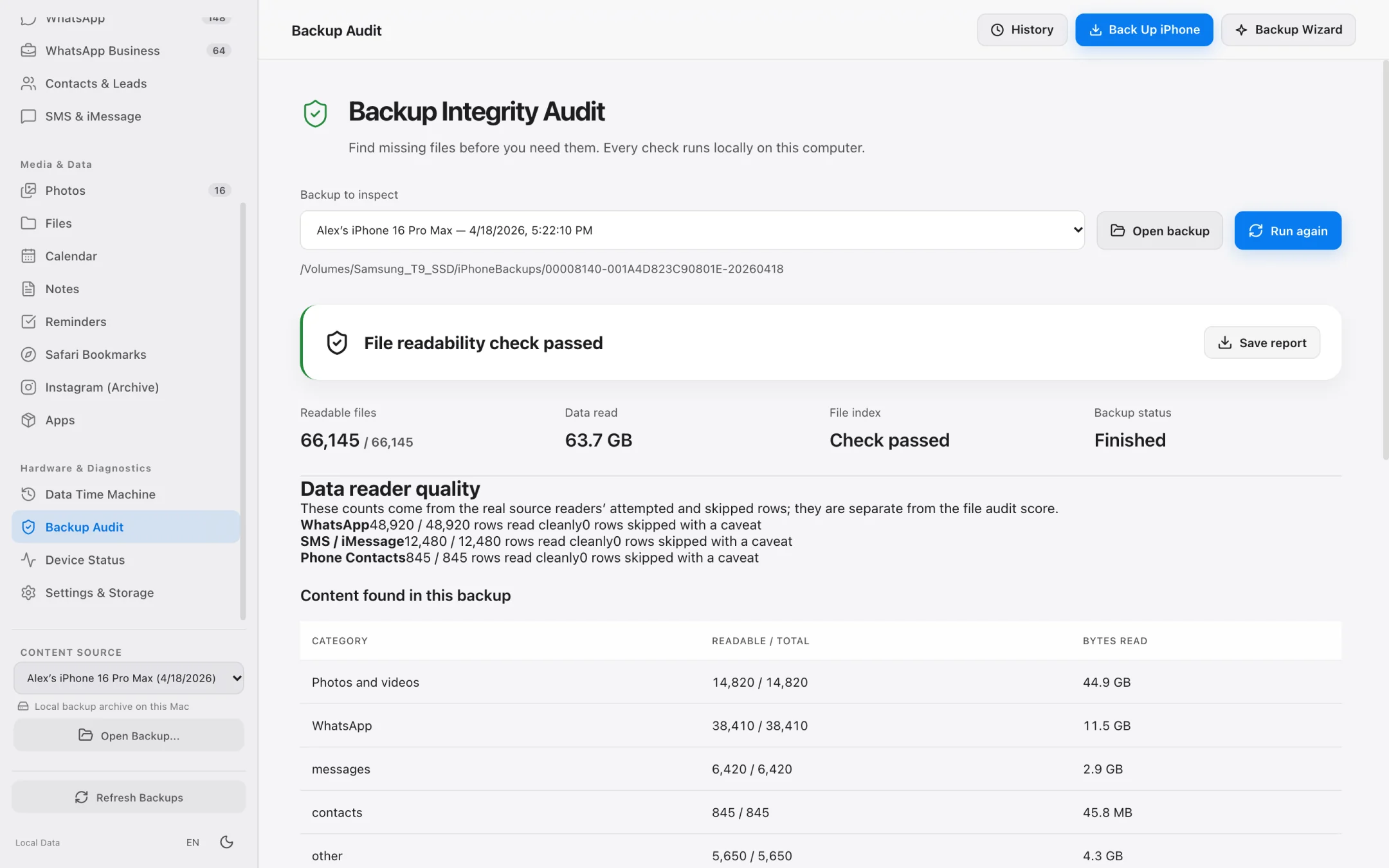
WhatsApp, Messages & Camera Roll
Export exactly what you need in open, standard formats.
Preview exact item counts and byte sizes before exporting photos, 4K videos, iMessages, and WhatsApp chats.
- Export WhatsApp chats to SHA-256 PDF transcripts or UTF-8 CSV files.
- Extract business leads (phones, emails, IBANs) from WhatsApp histories.
- Parallel photo and 4K video offloading with original HEIC/MOV metadata preserved.
- Export contacts to standard vCard 3.0 (.vcf) with smart filters.
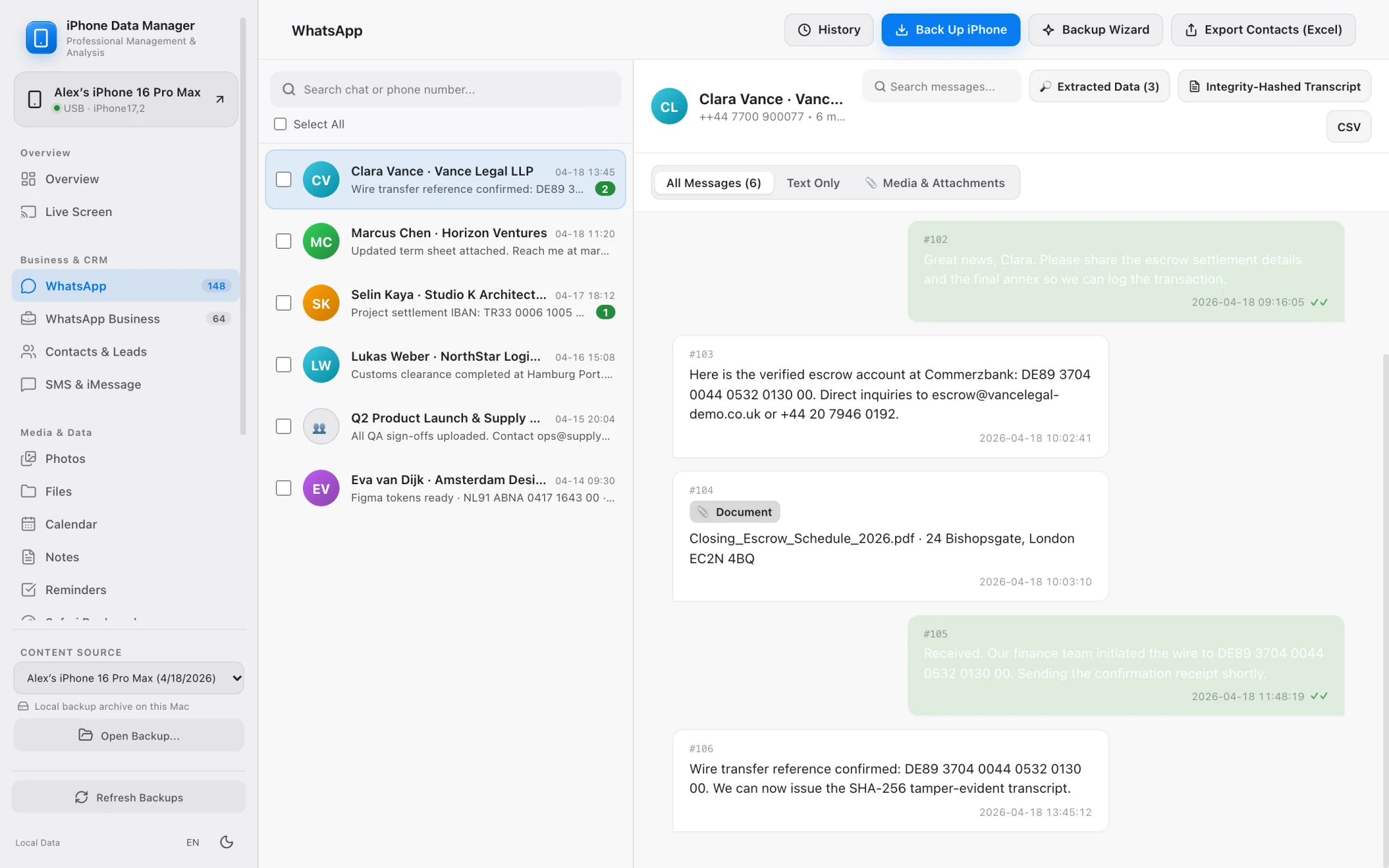
Step-by-Step Workflow
How to switch from AnyTrans to iPhone Data Manager on Mac
Start managing your iPhone backups and exports natively in three steps.
Download and launch on your Apple Silicon Mac
Install the Apple-notarized DMG on macOS 12+ — no account registration or background helper installation required.
Connect your iPhone or open an existing local backup
Immediately browse your connected iPhone or any existing Finder / MobileSync backup on your Mac or external drive.
Back up to an external SSD or export open files
Create a full or Lean Mode backup for free, or export WhatsApp PDFs, CSVs, photos, and vCards.
Technical Feature Comparison
iPhone Data Manager vs. AnyTrans vs. macOS Finder
Compare architecture, privacy posture, and specialized backup workflows on macOS.
Comparison based on publicly documented macOS features as of 2026.
FAQ
Frequently asked questions.
Everything works locally on your Mac over direct USB or Wi-Fi pairing with zero cloud telemetry.
Can iPhone Data Manager open backups I already created in Finder?
Yes. Any standard local iPhone backup stored on your Mac or external drive can be opened, browsed across all 8 modules, and audited with Backup Health Check.
Does iPhone Data Manager install background launch agents on my Mac?
No. iPhone Data Manager runs only while the application window is open and leaves zero background daemons running when you quit.
Is there a free version to test with my iPhone?
Yes! Full local backups (including to external SSDs), device diagnostics, and browsing all modules are completely free, with sample exports included so you can verify everything before upgrading.
Explore Specialized Workflows
iPhone Storage Manager
Free up gigabytes on your iPhone and Mac with external SSD backups, Lean Mode, and exact byte-size photo offloading.
iPhone File Manager
Browse accessible iPhone app folders and decoded local backup file trees without opaque SHA-1 filenames.
iPhone Transfer Software
Transfer photos, 4K videos, WhatsApp chats, SMS, and contacts from iPhone to Mac in standard, open formats.
UltFone Alternative for Mac
See how a 100% native, Apple-notarized, read-only macOS app compares to cross-platform utility suites.
My Data Manager iPhone Guide
Track cellular data quotas in iOS and inspect live network traffic & local backups on your Mac.
iMazing Alternative for Mac
Compare native Apple Silicon speed, Lean Mode backups, and SHA-256 WhatsApp transcripts against iMazing.
Export WhatsApp Chat on Mac
Export huge WhatsApp chat histories to SHA-256 verifiable PDFs, CSV spreadsheets, and lead lists.
Backup iPhone to External Drive
Bypass Finder internal drive lock-in and save iPhone backups directly to external USB-C or Thunderbolt SSDs.
iPhone Backup Extractor for Mac
Open raw or encrypted local iPhone backups to recover photos, WhatsApp chats, SMS, contacts, and files.
PhoneView Alternative for Mac
The modern Apple Silicon successor for former Ecamm PhoneView users to archive iMessage, SMS, and WhatsApp chats locally.
Dr.Fone Alternative for Mac
One unified macOS app for iPhone backups, WhatsApp exports, and file extraction without fragmented per-module upsells.
iCareFone Alternative for Mac
Compare local read-only safety, external SSD backups, and WhatsApp business lead extraction against Tenorshare iCareFone.
See what is on your iPhone today.
Free to download. Browse your data and run full backups before paying a cent.