 Modern Replacement for Ecamm PhoneView Users
 The Native Apple Silicon Successor for Archiving iPhone Messages & WhatsApp.
When Ecamm discontinued PhoneView, Mac users lost a beloved local message archiver. iPhone Data Manager brings back fast, 100% local browsing and exporting for WhatsApp, SMS/iMessage, Photos, Contacts, and Files on macOS 12+.
- 100% local
- Notarized by Apple
- No account needed
- Free to try
Designed for former PhoneView users who value simplicity and local privacy.
No cloud accounts, no bloated media players — just fast, native macOS access to your iPhone conversations, attachments, and backups.
Built for Apple Silicon (M1–M4)
Native arm64 speed on modern macOS.
Legacy Intel utilities struggle with modern iOS backup structures and huge SQLite databases. iPhone Data Manager is engineered natively for Apple Silicon on macOS 12 and newer.
Legal & Business-Grade Chat Exports
SHA-256 verifiable WhatsApp PDFs & structured CSVs.
Lawyers, consultants, and business owners relied on PhoneView for message records. iPhone Data Manager adds cryptographic SHA-256 per-message and root hashes to exported WhatsApp PDF transcripts.
Lean Mode for Fast Message Archiving
Archive chats and contacts without waiting for 200 GB of video.
Want to quickly snapshot your messages and contacts like you used to? Lean Mode backs up core SQLite databases in a fraction of the time and disk space.
SMS, iMessage & WhatsApp Archiving
Every conversation and attachment, organized and searchable.
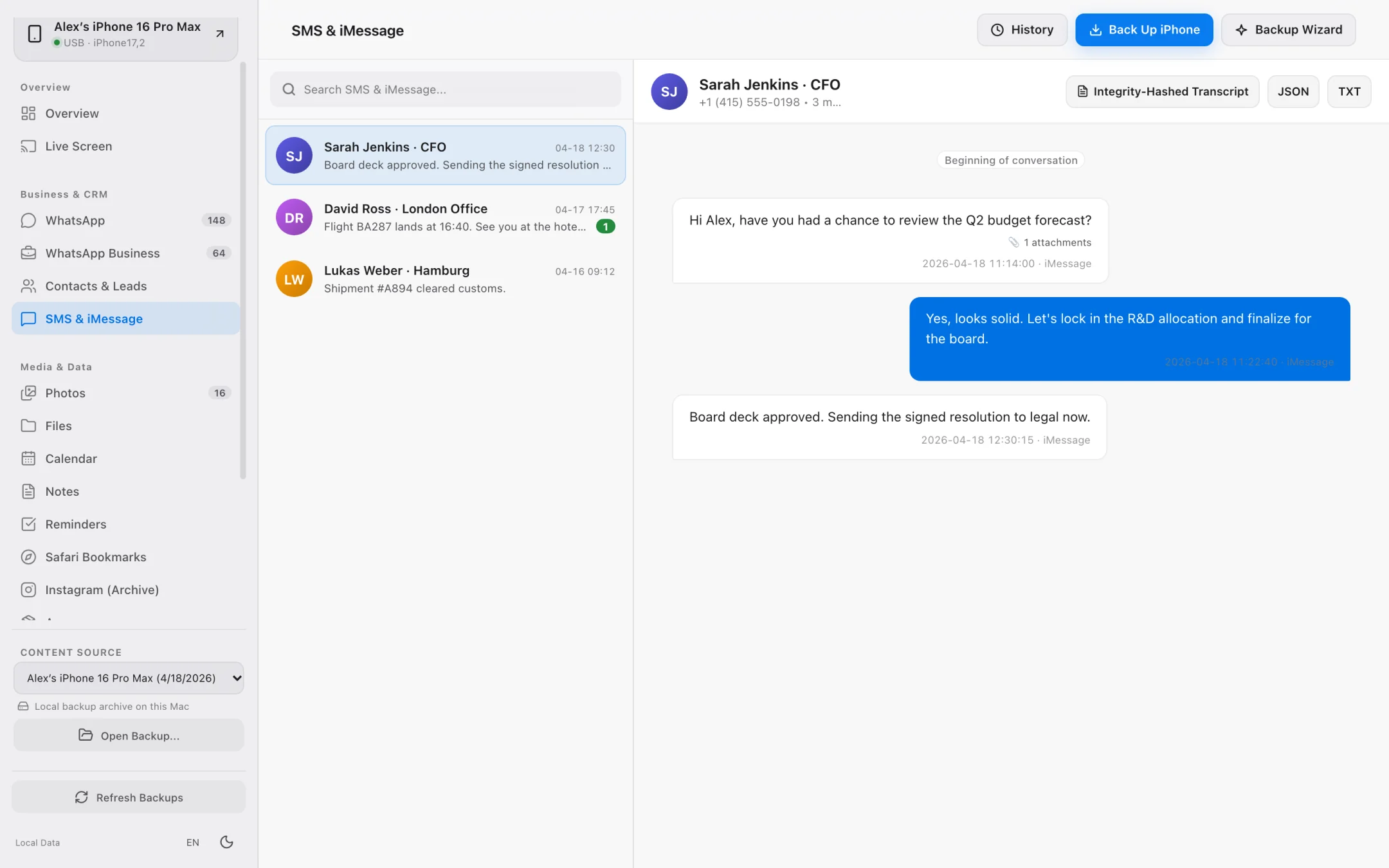
Read tens of thousands of messages smoothly from any local backup. Inspect dedicated attachment lists for SMS/iMessage and generate verifiable transcripts for WhatsApp.
- Browse full SMS and iMessage conversation threads with attachment previews.
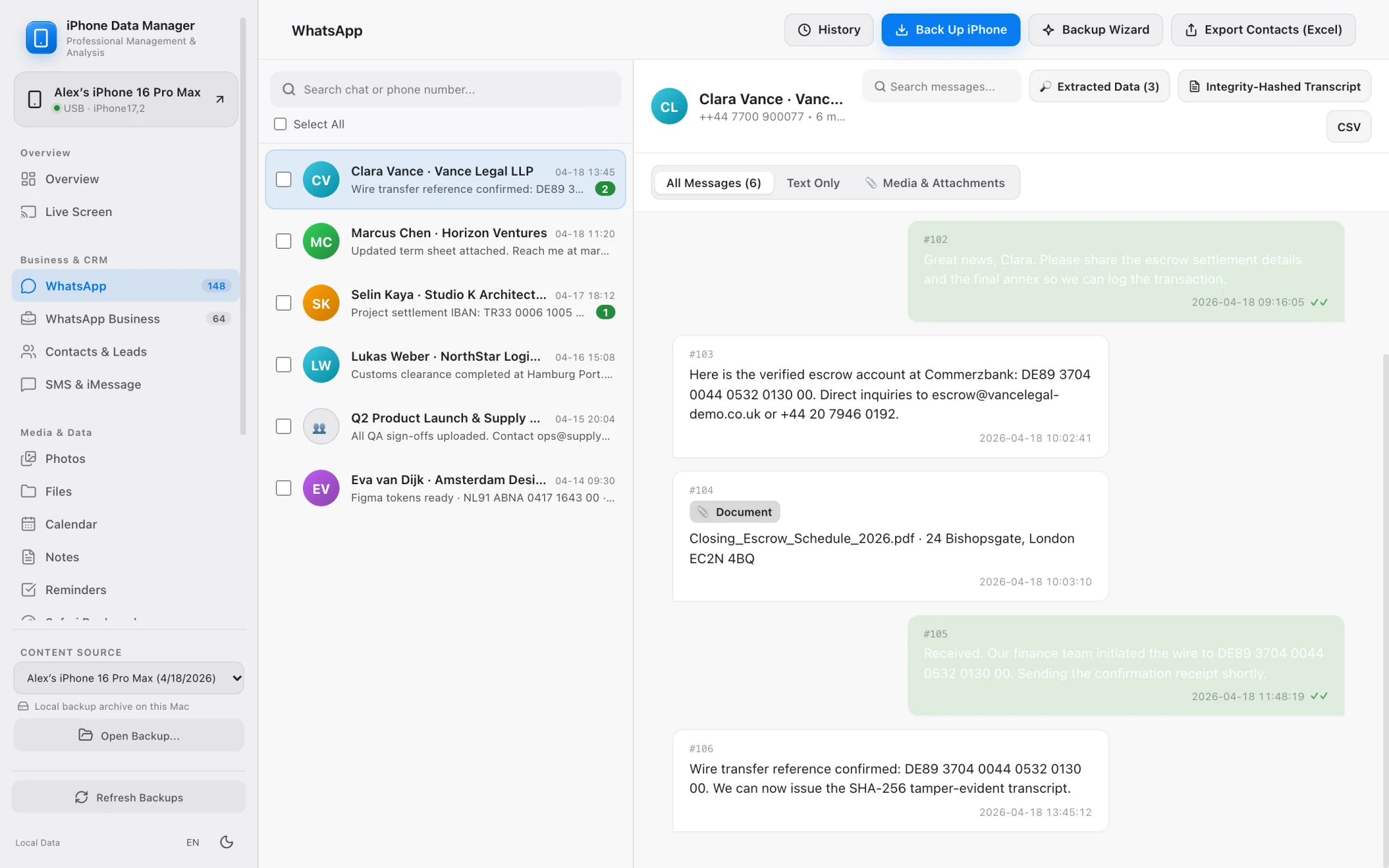
- Export WhatsApp chats to printable SHA-256 PDF transcripts or UTF-8 CSV spreadsheets.
- Automatically extract phone numbers, emails, and IBANs from WhatsApp business chats.
- 100% local processing — sensitive client or family conversations never leave your Mac.
Photos, Contacts & Data Time Machine
Complete local backup browser plus historical diffing.
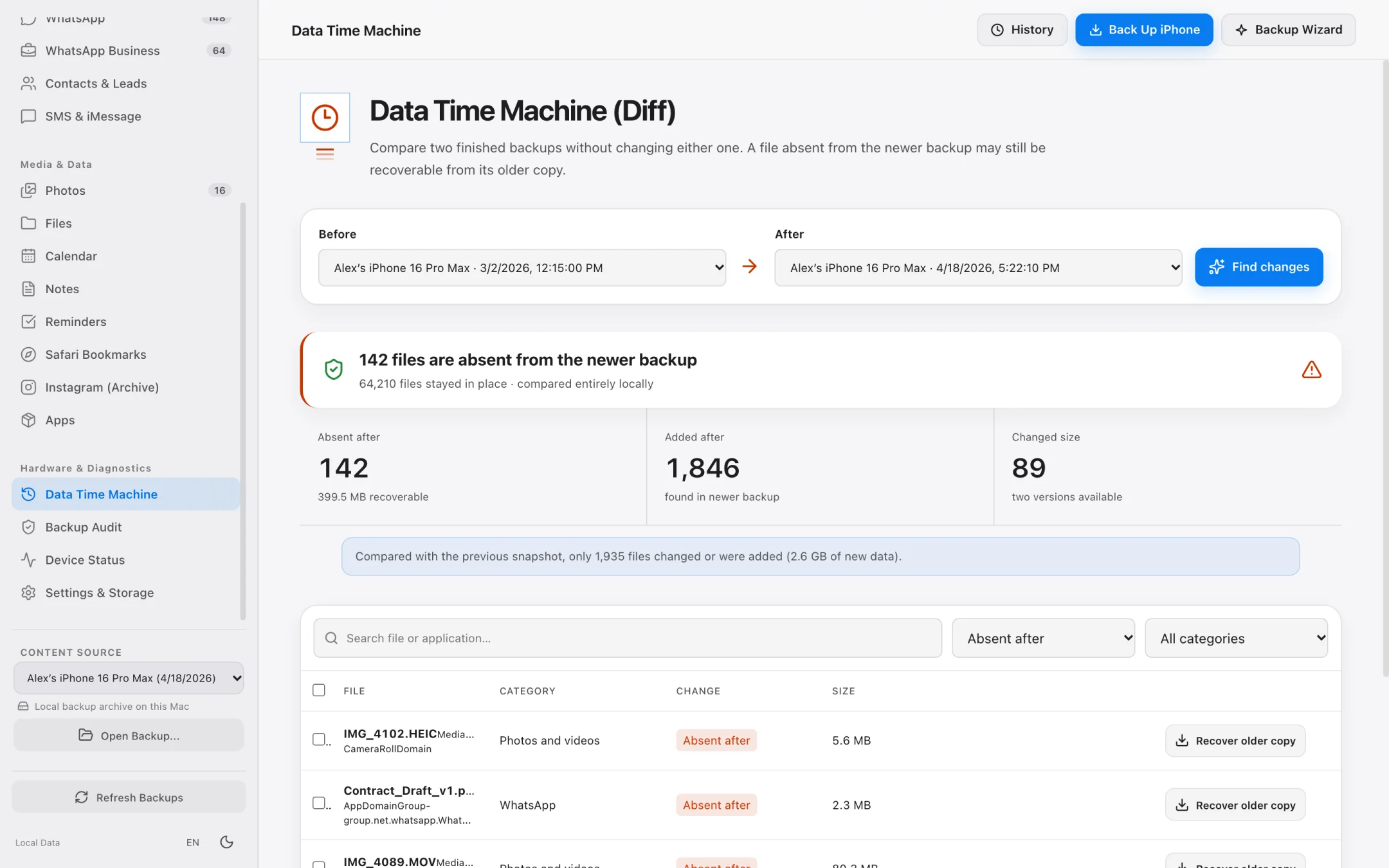
Open any existing backup on your Mac or external SSD to extract high-resolution photos, vCard contacts, and app files, or compare two backup dates.
- Data Time Machine compares two backups to reveal added, modified, or deleted records.
- Fast photo and video grid shows exact item counts and byte sizes before export.
- Export contacts to clean vCard 3.0 (.vcf) files.
- Strictly read-only access keeps your iPhone and existing backups 100% safe.
Step-by-Step Workflow
How to archive iPhone messages and WhatsApp chats on Mac
Replace your legacy PhoneView workflow in three simple steps.
Create a Fast Lean Mode or Full Backup
Connect your iPhone and run a space-saving Lean Mode backup (for fast database archiving) or open an existing Finder backup.
Open the WhatsApp or Messages Module
Search across conversations, filter by contact, and inspect media attachments locally on your Mac.
Export to SHA-256 PDF or CSV
Save tamper-evident PDF transcripts for legal/business documentation or export structured CSVs and media folders.
Feature Comparison
iPhone Data Manager vs. Legacy Ecamm PhoneView
How the modern Apple Silicon workflow builds upon classic Mac message archiving.
PhoneView is a trademark of Ecamm Network, LLC. iPhone Data Manager is an independent macOS product.
FAQ
Frequently asked questions.
Everything works locally on your Mac over direct USB or Wi-Fi pairing with zero cloud telemetry.
Why did PhoneView stop working on newer Macs and iPhones?
Ecamm officially retired PhoneView in 2022. As iOS backup schemas, WhatsApp AppGroup containers, and macOS Apple Silicon architectures evolved, users needed an actively maintained native macOS tool.
Can I export conversations for court or business documentation?
Yes. In the WhatsApp module, iPhone Data Manager generates printable PDF transcripts that include SHA-256 hashes for individual messages as well as a document root hash for tamper-evident verification.
Do I have to back up all 250 GB of my photos just to archive my chats?
No! That is exactly why we built Lean Mode — it backs up your core SQLite databases (such as WhatsApp and Contacts) in just a few gigabytes so you can archive messages quickly.
Explore Specialized Workflows
iPhone Storage Manager
Free up gigabytes on your iPhone and Mac with external SSD backups, Lean Mode, and exact byte-size photo offloading.
iPhone File Manager
Browse accessible iPhone app folders and decoded local backup file trees without opaque SHA-1 filenames.
iPhone Transfer Software
Transfer photos, 4K videos, WhatsApp chats, SMS, and contacts from iPhone to Mac in standard, open formats.
UltFone Alternative for Mac
See how a 100% native, Apple-notarized, read-only macOS app compares to cross-platform utility suites.
My Data Manager iPhone Guide
Track cellular data quotas in iOS and inspect live network traffic & local backups on your Mac.
iMazing Alternative for Mac
Compare native Apple Silicon speed, Lean Mode backups, and SHA-256 WhatsApp transcripts against iMazing.
Export WhatsApp Chat on Mac
Export huge WhatsApp chat histories to SHA-256 verifiable PDFs, CSV spreadsheets, and lead lists.
Backup iPhone to External Drive
Bypass Finder internal drive lock-in and save iPhone backups directly to external USB-C or Thunderbolt SSDs.
iPhone Backup Extractor for Mac
Open raw or encrypted local iPhone backups to recover photos, WhatsApp chats, SMS, contacts, and files.
AnyTrans Alternative for Mac
Replace heavy background helper daemons with a native Apple Silicon iPhone manager featuring Lean Mode and SHA-256 WhatsApp PDFs.
Dr.Fone Alternative for Mac
One unified macOS app for iPhone backups, WhatsApp exports, and file extraction without fragmented per-module upsells.
iCareFone Alternative for Mac
Compare local read-only safety, external SSD backups, and WhatsApp business lead extraction against Tenorshare iCareFone.
See what is on your iPhone today.
Free to download. Browse your data and run full backups before paying a cent.