 All-in-One macOS Dr.Fone Alternative
 One Native Mac App. Every Module Included. Zero Add-On Upsells.
Many utility toolkits advertise a base download and then charge separate subscriptions for Phone Backup, WhatsApp Transfer, and Data Extractor modules. iPhone Data Manager gives you all 8 modules in one transparent, native Apple Silicon app.
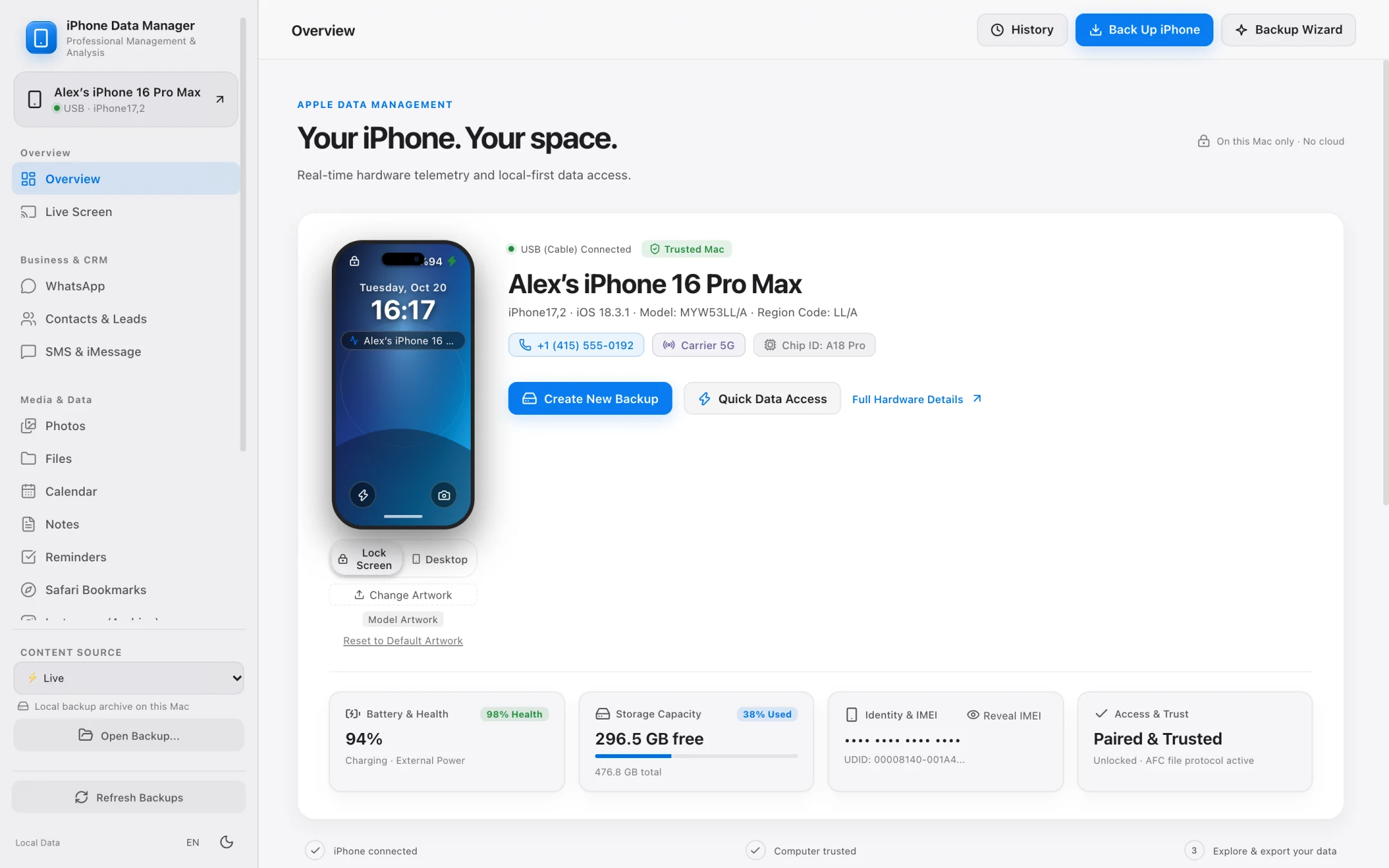
- 100% local
- Notarized by Apple
- No account needed
- Free to try
Why Mac users switch from modular toolkits to iPhone Data Manager.
You shouldn't have to buy three separate sub-licenses just to back up your iPhone to an external SSD, export a WhatsApp chat, and recover photos from a local backup.
No Fragmented Toolkit Fees
Backups, WhatsApp, Photos, SMS, Contacts & Files in one license.
Every paid plan of iPhone Data Manager unlocks all 8 modules together — and full local backups (even to external SSDs) are completely free.
100% Read-Only & Honest
No risky firmware modifications or misleading recovery promises.
iPhone Data Manager never attempts invasive jailbreak/DFU exploits. It safely reads your connected iPhone and decodes local MobileSync backups in strictly read-only mode.
Native Apple Silicon Speed
Lightweight ~48 MB app notarized by Apple.
Built natively for macOS 12+ on Apple Silicon with smooth virtualized scrolling for 100,000+ message threads and parallel media exports.
Unified 8-Module Workspace
Everything you need to back up, inspect, and export iOS data on Mac.
Switch effortlessly between live device diagnostics, external SSD backups, WhatsApp lead & PDF exports, and full backup file trees inside one clean window.
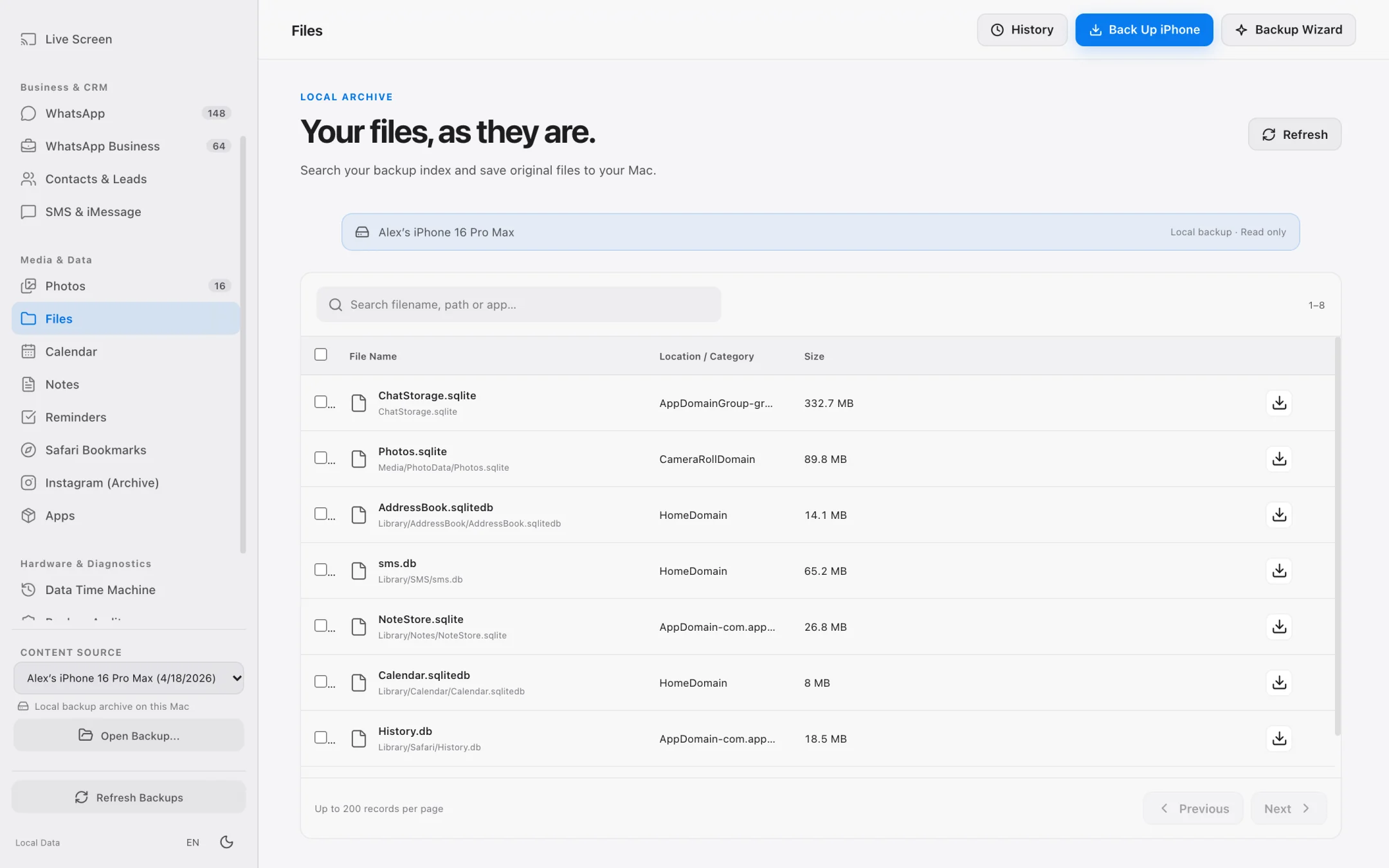
- Full & Lean Mode local backups to internal Mac storage or external SSDs.
- WhatsApp chat browser with CSV export, SHA-256 PDF transcripts, and IBAN/email/phone lead extraction.
- High-speed photo & 4K video grid with exact byte-size previews before export.
- SMS/iMessage reader, vCard 3.0 contact exporter, and raw Manifest.db file explorer.
Backup Auditing & Diffing
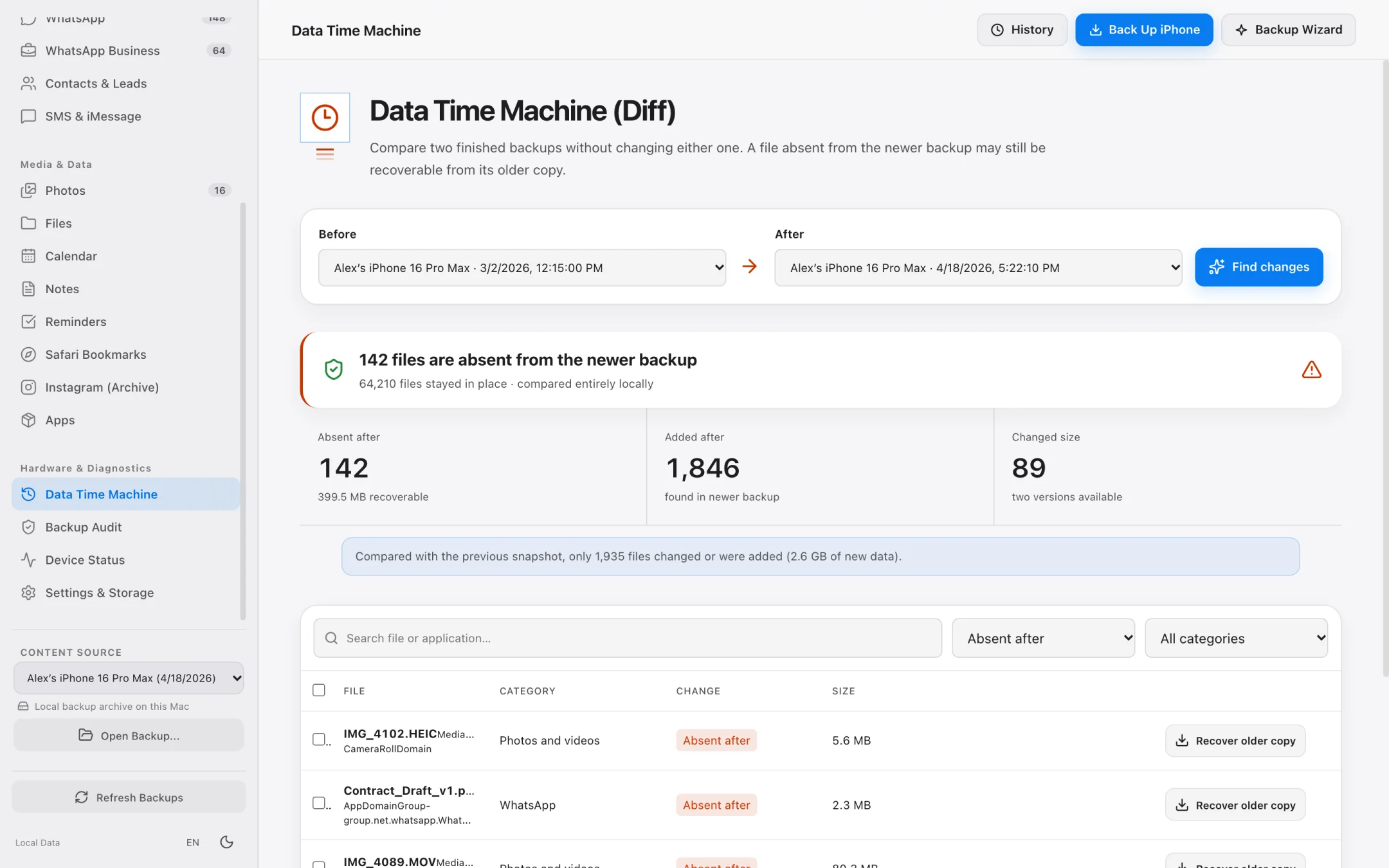
Backup Health Check and Data Time Machine included.
Verify the structural integrity of your local backups and compare any two backup dates to see exactly what changed.
- Backup Health Check audits backup completeness and exports a diagnostic report.
- Data Time Machine shows added, modified, and deleted items between two backups.
- Supports encrypted local backups using your known backup password.
- 100% offline processing — no Wondershare/cloud account login required.
Step-by-Step Workflow
How to replace Dr.Fone with iPhone Data Manager on Mac
Get started in under two minutes with zero account registration.
Download the lightweight Apple-notarized DMG
Open iPhone Data Manager on your Apple Silicon Mac — no account sign-up or modular installer hub needed.
Back up to your Mac or External SSD for free
Create a full local backup or open an existing Finder backup to browse all 8 modules at no cost.
Export WhatsApp, Photos, SMS, and Files
Test sample exports for free or unlock unlimited exports across every module with one simple plan.
Pricing & Architecture Comparison
iPhone Data Manager vs. Modular Desktop Toolkits
See why a unified, native macOS utility saves both money and disk space.
Dr.Fone is a trademark of Wondershare Technology Group Co., Ltd. iPhone Data Manager is an independent product.
FAQ
Frequently asked questions.
Everything works locally on your Mac over direct USB or Wi-Fi pairing with zero cloud telemetry.
Do I have to pay extra for the WhatsApp export module?
Never. Unlike toolkits that sell WhatsApp Transfer, Phone Backup, and Data Recovery as separate add-ons, every paid plan in iPhone Data Manager includes all 8 modules.
Can it recover data if my iPhone won't turn on?
If you have an existing local backup on your Mac or external drive, iPhone Data Manager can open that backup folder directly without connecting the iPhone and extract your WhatsApp chats, photos, SMS, contacts, and files. If no backup exists and the hardware is dead, no software can read unpowered flash storage.
Does it require creating an online account?
No. You can download, back up, browse, and use the app without creating an account.
Explore Specialized Workflows
iPhone Storage Manager
Free up gigabytes on your iPhone and Mac with external SSD backups, Lean Mode, and exact byte-size photo offloading.
iPhone File Manager
Browse accessible iPhone app folders and decoded local backup file trees without opaque SHA-1 filenames.
iPhone Transfer Software
Transfer photos, 4K videos, WhatsApp chats, SMS, and contacts from iPhone to Mac in standard, open formats.
UltFone Alternative for Mac
See how a 100% native, Apple-notarized, read-only macOS app compares to cross-platform utility suites.
My Data Manager iPhone Guide
Track cellular data quotas in iOS and inspect live network traffic & local backups on your Mac.
iMazing Alternative for Mac
Compare native Apple Silicon speed, Lean Mode backups, and SHA-256 WhatsApp transcripts against iMazing.
Export WhatsApp Chat on Mac
Export huge WhatsApp chat histories to SHA-256 verifiable PDFs, CSV spreadsheets, and lead lists.
Backup iPhone to External Drive
Bypass Finder internal drive lock-in and save iPhone backups directly to external USB-C or Thunderbolt SSDs.
iPhone Backup Extractor for Mac
Open raw or encrypted local iPhone backups to recover photos, WhatsApp chats, SMS, contacts, and files.
AnyTrans Alternative for Mac
Replace heavy background helper daemons with a native Apple Silicon iPhone manager featuring Lean Mode and SHA-256 WhatsApp PDFs.
PhoneView Alternative for Mac
The modern Apple Silicon successor for former Ecamm PhoneView users to archive iMessage, SMS, and WhatsApp chats locally.
iCareFone Alternative for Mac
Compare local read-only safety, external SSD backups, and WhatsApp business lead extraction against Tenorshare iCareFone.
See what is on your iPhone today.
Free to download. Browse your data and run full backups before paying a cent.