 Native Apple Silicon iCareFone Alternative
 Local-First iPhone Backups & WhatsApp Exports on Mac — Without the Bloat.
Built natively for Apple Silicon Macs (macOS 12+), iPhone Data Manager combines free external SSD backups, Lean Mode snapshots, Data Time Machine diffing, and SHA-256 WhatsApp PDF transcripts in one read-only app.
- 100% local
- Notarized by Apple
- No account needed
- Free to try
Why Mac users choose iPhone Data Manager over generic transfer utilities.
Designed from day one for macOS engineers, business professionals, and privacy-conscious iPhone owners.
Free External Drive Backups
Back up to any USB-C or Thunderbolt SSD at zero cost.
Creating full local backups to your Mac or an external SSD — and browsing all 8 data modules — is completely free in iPhone Data Manager.
Business WhatsApp Intelligence
Extract IBANs, phone numbers, emails & SHA-256 PDFs.
Instead of separate WhatsApp transfer tools, get built-in CSV export, automatic lead extraction (with IBAN checksum validation), and cryptographic SHA-256 PDF transcripts.
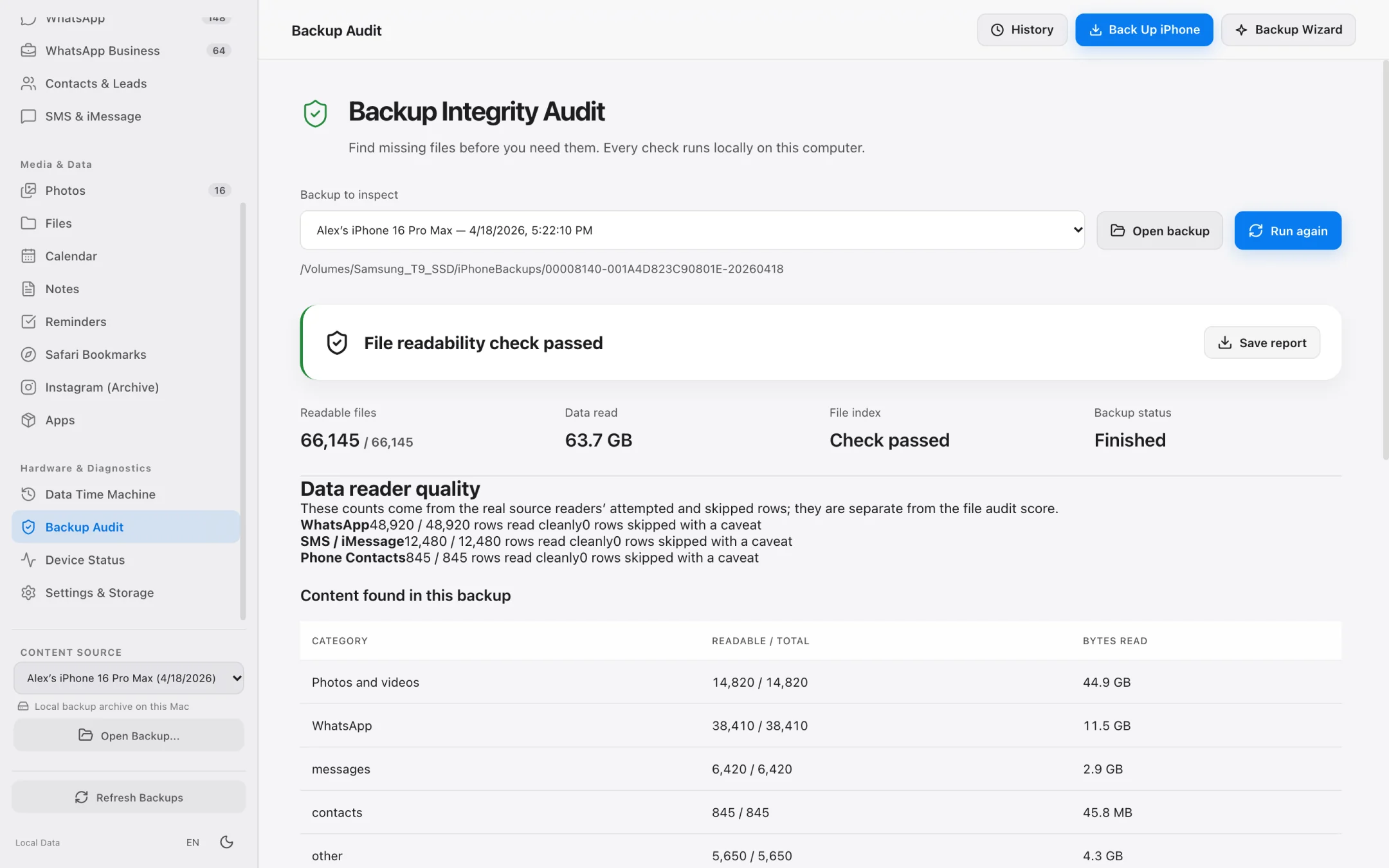
Data Time Machine & Health Check
Verify backup integrity and diff historical snapshots.
Audit your backup folders for missing files and compare any two backup dates side by side to spot deleted messages or photos.
External SSD & Lean Mode
Total control over where and how your iPhone is backed up.
Monitor real byte-by-byte disk write progress instead of frozen percentage bars, and choose between full backups or lightweight Lean Mode snapshots.
- Select any external SSD folder directly without Terminal symlinks.
- Lean Mode saves core SQLite databases (WhatsApp, Contacts) in a few GB.
- Supports encrypted local backups using your device backup password.
- Strictly read-only device access guarantees zero data loss on your iPhone.
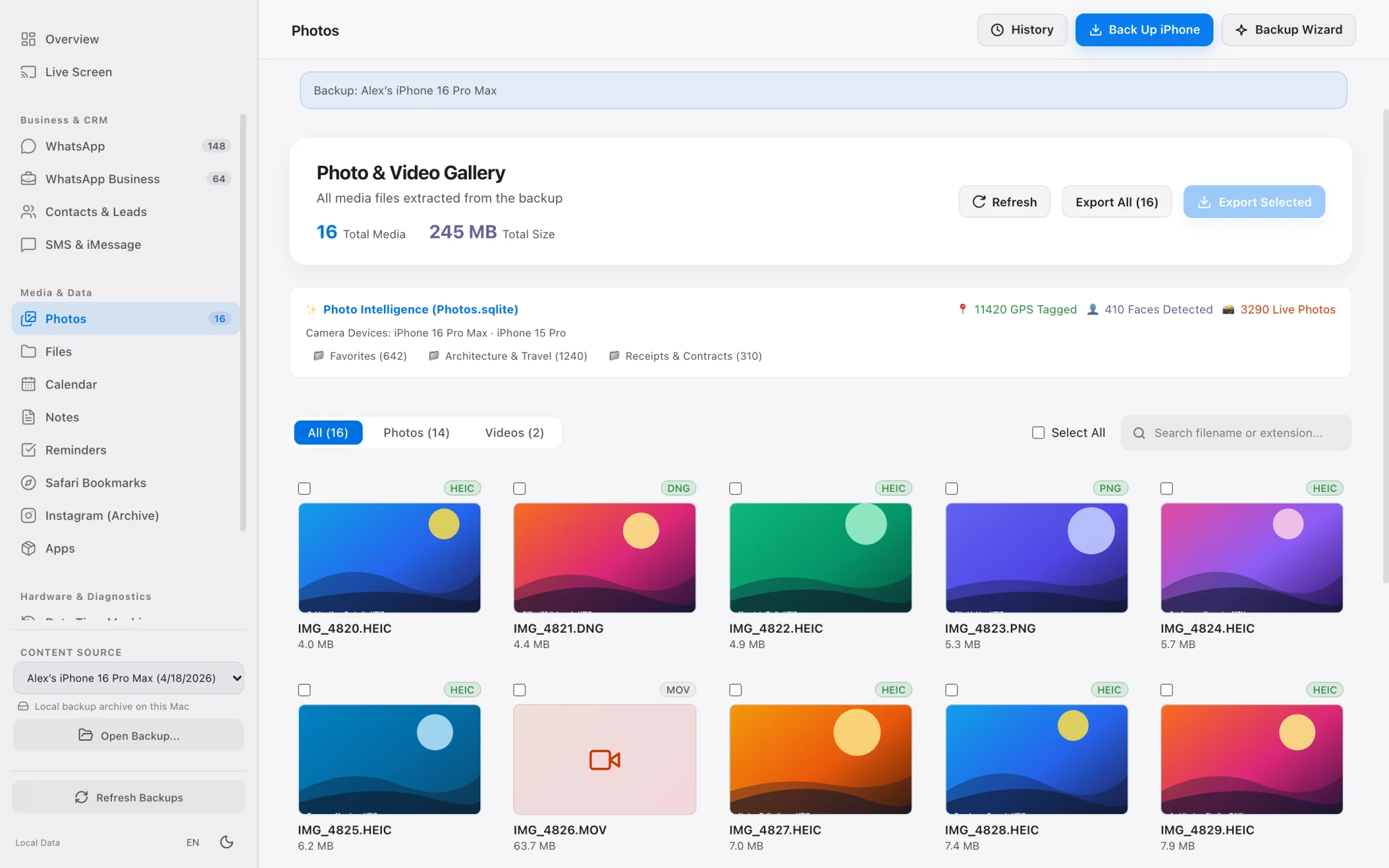
High-Speed Media & File Offloading
Preview exact item counts and byte sizes before parallel export.
Offload thousands of HEIC/ProRAW photos, 4K60 videos, and accessible app documents to your Mac or external drive in original quality.
- Fast virtualized media grid built for libraries with 50,000+ photos.
- Exact file count and gigabyte size calculation before starting export.
- Preserves original folder hierarchies and timestamps when extracting app files.
- 100% local execution with zero cloud uploads.
Step-by-Step Workflow
How to back up and export iPhone data on Mac with iPhone Data Manager
Switch to a cleaner, native macOS workflow in three steps.
Launch iPhone Data Manager on macOS 12+
Open the Apple-notarized app on your M1/M2/M3/M4 Mac and connect your iPhone or select an existing local backup.
Choose External SSD or Lean Mode Backup
Run a free local backup to your chosen drive or inspect your existing Finder backups immediately.
Export WhatsApp PDFs, Leads, Photos & Contacts
Use sample exports for free or upgrade to unlock unlimited batch exports and encrypted backup unlocking.
Feature Comparison
iPhone Data Manager vs. Tenorshare iCareFone
Compare native macOS engineering and unique backup workflows.
iCareFone is a trademark of Tenorshare Co., Ltd. iPhone Data Manager is an independent macOS product.
FAQ
Frequently asked questions.
Everything works locally on your Mac over direct USB or Wi-Fi pairing with zero cloud telemetry.
Does iPhone Data Manager require buying a separate app for WhatsApp?
No. The WhatsApp chat browser, CSV exporter, business lead extractor, and SHA-256 PDF transcript generator are built right into iPhone Data Manager.
Is it safe to use with my primary business iPhone?
Yes. Because iPhone Data Manager is notarized by Apple and communicates with your iPhone in strictly read-only mode, it never writes to or alters your device's internal databases.
Can I test it for free before purchasing?
Absolutely. Downloading the app, creating full local backups to your Mac or external SSD, and browsing all 8 modules is 100% free.
Explore Specialized Workflows
iPhone Storage Manager
Free up gigabytes on your iPhone and Mac with external SSD backups, Lean Mode, and exact byte-size photo offloading.
iPhone File Manager
Browse accessible iPhone app folders and decoded local backup file trees without opaque SHA-1 filenames.
iPhone Transfer Software
Transfer photos, 4K videos, WhatsApp chats, SMS, and contacts from iPhone to Mac in standard, open formats.
UltFone Alternative for Mac
See how a 100% native, Apple-notarized, read-only macOS app compares to cross-platform utility suites.
My Data Manager iPhone Guide
Track cellular data quotas in iOS and inspect live network traffic & local backups on your Mac.
iMazing Alternative for Mac
Compare native Apple Silicon speed, Lean Mode backups, and SHA-256 WhatsApp transcripts against iMazing.
Export WhatsApp Chat on Mac
Export huge WhatsApp chat histories to SHA-256 verifiable PDFs, CSV spreadsheets, and lead lists.
Backup iPhone to External Drive
Bypass Finder internal drive lock-in and save iPhone backups directly to external USB-C or Thunderbolt SSDs.
iPhone Backup Extractor for Mac
Open raw or encrypted local iPhone backups to recover photos, WhatsApp chats, SMS, contacts, and files.
AnyTrans Alternative for Mac
Replace heavy background helper daemons with a native Apple Silicon iPhone manager featuring Lean Mode and SHA-256 WhatsApp PDFs.
PhoneView Alternative for Mac
The modern Apple Silicon successor for former Ecamm PhoneView users to archive iMessage, SMS, and WhatsApp chats locally.
Dr.Fone Alternative for Mac
One unified macOS app for iPhone backups, WhatsApp exports, and file extraction without fragmented per-module upsells.
See what is on your iPhone today.
Free to download. Browse your data and run full backups before paying a cent.