Forensic Analysis of 7c7fba66680ef796b916b067077cc246adacf01d ChatStorage.sqlite on Mac
A deep forensic dive into extracting, parsing, and analyzing WhatsApp's ChatStorage.sqlite database from encrypted iPhone backups on Apple Silicon macOS systems.

macOS 12 Monterey – macOS 15 Sequoia · SQLite3 & MobileSync Architecture
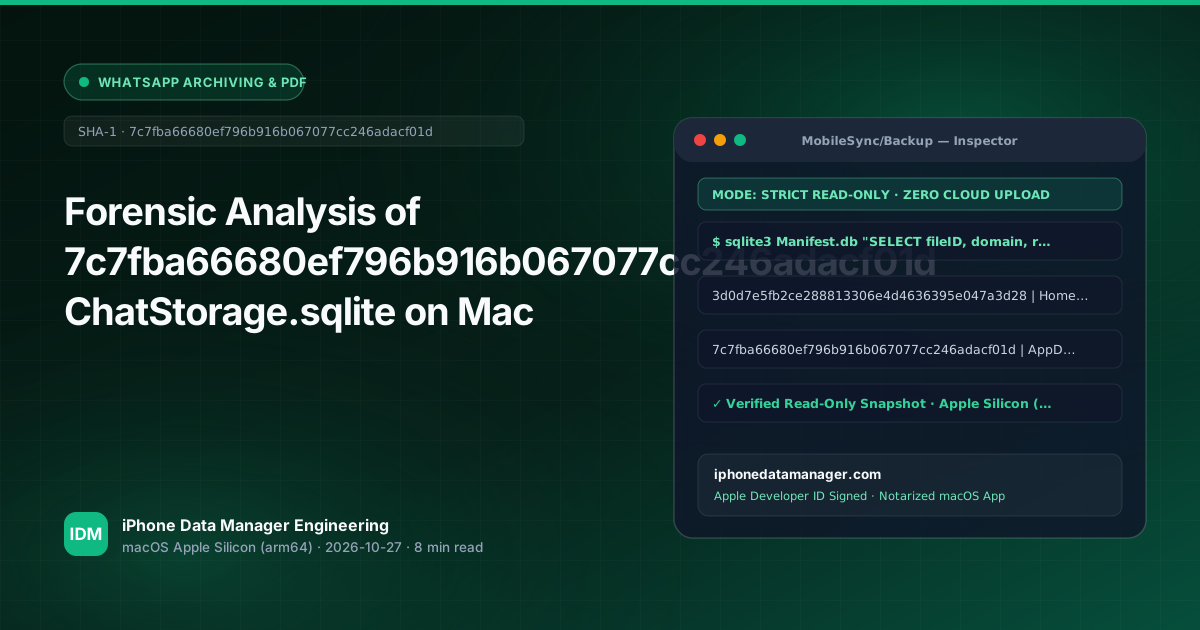
- ✓ Target file 7c7fba66680ef796b916b067077cc246adacf01d represents the AppDomainGroup-group.net.whatsapp.WhatsApp.shared directory in iOS backups.
- ✓ Core message text, sender handles, and chat sessions reside inside ZWAMESSAGE and ZWACHATSESSION SQLite tables.
- ✓ In-app WhatsApp 'Export Chat' truncates exports at 10,000 (with media) or 40,000 (text-only) messages, making raw SQLite extraction mandatory for full audits.
- ✓ iPhone Data Manager for macOS automates read-only scanning, external SSD offloading, and SHA-256 verified PDF transcript generation without Terminal symlinks.
1. Technical Architecture & How macOS Stores This Data
When you back up an iPhone using macOS Finder or professional utilities, Apple organizes application sandbox files inside an encrypted or unencrypted SQLite-backed catalog known as Manifest.db. WhatsApp stores its core messaging database, media metadata, and user preferences within an App Group container. In the iOS backup directory structure located at ~/Library/Application Support/MobileSync/Backup/, this container is indexed under the hash 7c7fba66680ef796b916b067077cc246adacf01d, which corresponds to the relative path AppDomainGroup-group.net.whatsapp.WhatsApp.shared/ChatStorage.sqlite.
Standard macOS Finder backups do not expose these internal SQLite files directly, nor do they allow granular table inspection without extracting and decrypting the backup manifest first. Furthermore, Apple's sandboxing protocols on macOS 12 Monterey through macOS 15 Sequoia enforce strict read boundaries, requiring specialized utilities or manual Terminal workflows to query the SQLite database safely without modifying file modification timestamps or triggering journaling locks.
# Navigate to the default macOS MobileSync backup directory
cd ~/Library/Application\ Support/MobileSync/Backup/

# Locate the WhatsApp AppGroup hash folder
find . -name "*7c7fba66680ef796b916b067077cc246adacf01d*"Never execute write operations or open live SQLite databases with default tools that write WAL (Write-Ahead Logging) files without a prior backup copy. Always duplicate your backup or work on a detached read-only snapshot to preserve evidentiary chain of custody.
2. Step-by-Step Manual Inspection via macOS Terminal & SQLite3
To inspect the contents of ChatStorage.sqlite manually on your Mac, you must first resolve the fileID from Manifest.db if the backup is unencrypted, or decrypt the backup using your user password. Once extracted, you can open the database using the native sqlite3 command-line utility in macOS Terminal. The primary tables of interest are ZWAMESSAGE (containing message text, timestamps, and message types), ZWACHATSESSION (containing conversation metadata and participant details), and ZWAMEDIAITEM (mapping media files to their respective storage hashes).
Note that Apple CoreData timestamps use a reference date starting from January 1, 2001 (00:00:00 UTC). To convert ZWAMESSAGE.ZDATE into a readable human timestamp, you must add 978307200 seconds to the integer value. Querying these tables requires familiarity with SQLite JOIN operations across ZCHAT and ZFROMJID foreign keys to reconstruct coherent chat threads.
sqlite3 ChatStorage.sqlite
SELECT datetime(ZDATE + 978307200, 'unixepoch', 'localtime') AS MessageTime,
       ZCONTACTNAME, ZTEXT
FROM ZWAMESSAGE
WHERE ZTEXT IS NOT NULL
ORDER BY ZDATE DESC
LIMIT 50;
3. Why Manual Extraction & Finder Often Fail on Large Datasets
Attempting to extract years of WhatsApp chat history manually presents several engineering hurdles. First, WhatsApp's in-app 'Export Chat' feature artificially truncates exports at 10,000 messages with media or 40,000 messages without media, making it entirely useless for legal discovery or comprehensive personal backups. Second, large ChatStorage.sqlite files often exceed 10GB to 30GB, causing standard SQLite CLI queries to exhaust memory or lock up when resolving complex media paths stored across fragmented Manifest.db records.
Additionally, macOS APFS volume constraints on MacBooks with limited SSD space frequently trigger space-purge errors when attempting to duplicate multi-gigabyte iOS backups in ~/Library/Application Support/MobileSync/Backup/. Bypassing these limitations requires direct external SSD connection workflows and optimized streaming parsers designed specifically for Apple Silicon (arm64) architectures.
Avoid filling your internal Macintosh HD when dealing with massive 50GB+ iPhone backups. Use direct external USB-C/Thunderbolt SSD backup targets rather than fragile Terminal symlinks that break during macOS system updates.
4. Faster & Safer Workflow with iPhone Data Manager on Apple Silicon
iPhone Data Manager for macOS is engineered from the ground up as a native arm64 application for macOS 12 Monterey through macOS 15 Sequoia. Instead of wrestling with complex Terminal commands, manual Manifest.db hashing, and CoreData timestamp conversions, the utility provides an intuitive interface to instantly scan, parse, and query 7c7fba66680ef796b916b067077cc246adacf01d ChatStorage.sqlite databases with zero data loss or truncation limits.
The software features a dedicated forensic reader that extracts complete chat histories, reconstructs media attachments via automated Manifest.db SHA-1 mapping, and exports court-ready SHA-256 verified PDF transcripts. Furthermore, built-in Business Lead Extractors automatically scan ZWAMESSAGE records for phone numbers, email addresses, and IBANs, exporting them directly to clean CSV files for CRM or accounting workflows.
Run This Entire Workflow in 1 Click on Your Mac
Inspect Manifest.db, export SHA-256 verified WhatsApp PDFs, and back up directly to external USB-C/Thunderbolt SSDs without touching Terminal.
Frequently Asked Technical Questions
What does the hash 7c7fba66680ef796b916b067077cc246adacf01d mean in macOS iPhone backups? +
It is the backup folder hash for AppDomainGroup-group.net.whatsapp.WhatsApp.shared, which contains WhatsApp's core SQLite database (ChatStorage.sqlite) and associated media cache files.
Why does WhatsApp's in-app 'Export Chat' miss older messages? +
WhatsApp intentionally caps in-app chat exports at 10,000 messages with media and 40,000 messages without media to prevent performance bottlenecks on mobile devices. Full database extraction via ChatStorage.sqlite is required to access complete message archives.
How do I convert WhatsApp CoreData timestamps in SQLite to standard dates? +
WhatsApp uses Apple CoreData epoch time (seconds since January 1, 2001). You can convert ZDATE values by adding 978307200 to the integer and parsing it as a Unix epoch timestamp in SQL.
Can iPhone Data Manager parse encrypted iOS backups without Terminal commands? +
Yes. iPhone Data Manager securely prompts for your backup password, decrypts the Manifest.db and ChatStorage.sqlite containers in memory, and presents a full GUI preview without requiring any command-line tools or symlinks.
Related Engineering Guides
View All Guides →
Export WhatsApp Chat iPhone for Court Evidence PDF SHA-256 Mac
Forensic Extraction of AddressBook.sqlitedb: Recovering iPhone Contacts on macOS